Introduction
Safrochain Hub is the official gateway to the Safrochain ecosystem, providing a unified interface to manage wallets, transfer assets, stake with validators, bridge tokens, and access ecosystem applications.
This guide explains the Hub’s main features and helps you confidently navigate its on-chain services on both Testnet and Mainnet.
You can access Safrochain Hub at https://hub.safrochain.com.
Navigating the Safrochain Hub
Safrochain Hub is organized into two main sections:
- The Menu Bar, which contains the global settings and controls that define how you interact with the Hub.
- The Table of Contents, which provides access to all the on-chain services and ecosystem applications available through Safrochain Hub.
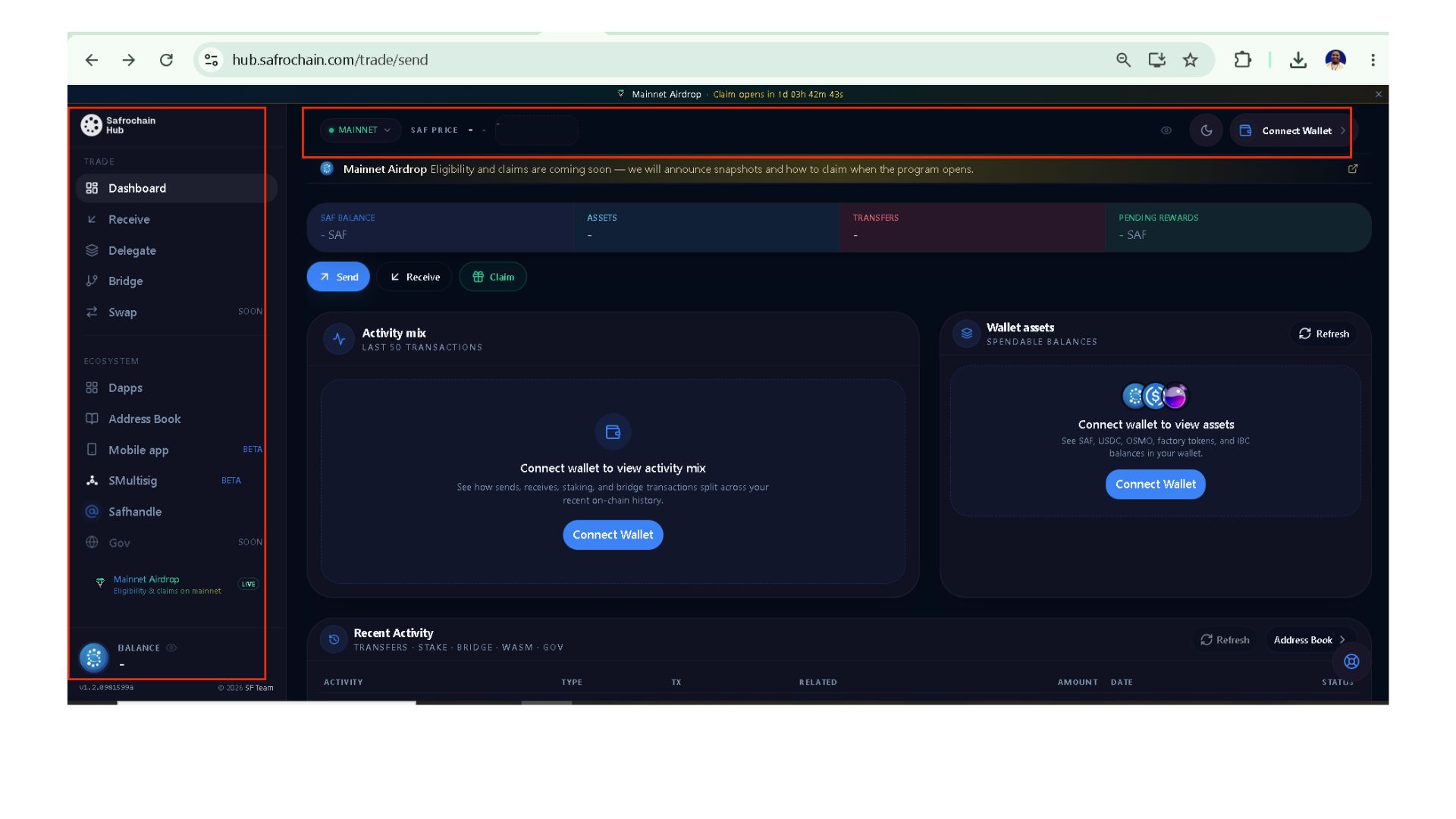
Part I. Menu Bar
The Menu Bar contains settings that affect your overall experience while using Safrochain Hub. This is where you define the network you want to use, connect your wallet, customize the interface, and access your wallet information.
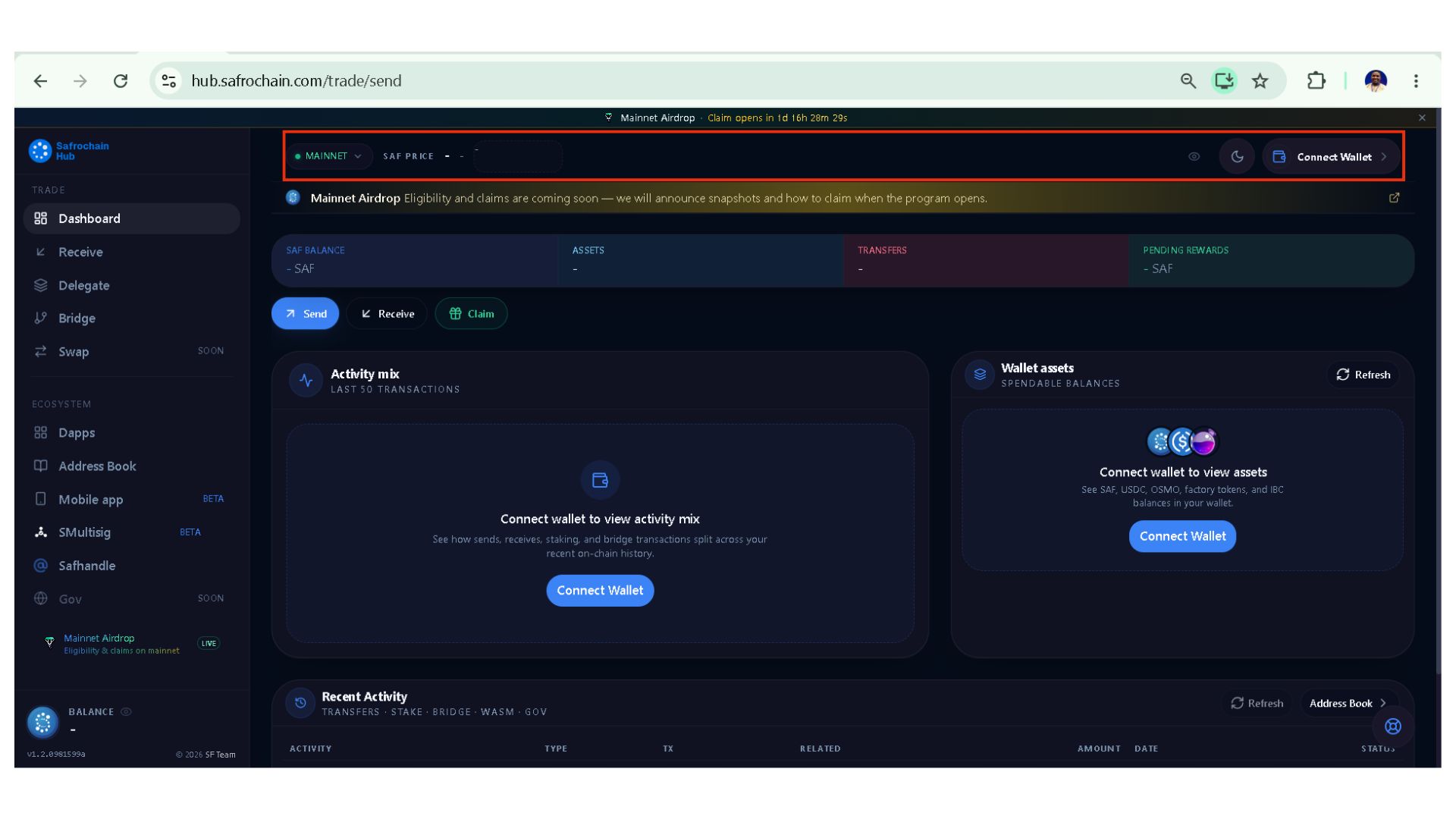
I.1. Testnet & Mainnet
This is one of the first options you should check after opening Safrochain Hub. It allows you to choose whether you want to interact with:
- Testnet, for testing and development.
- Mainnet, for real transactions using real assets.
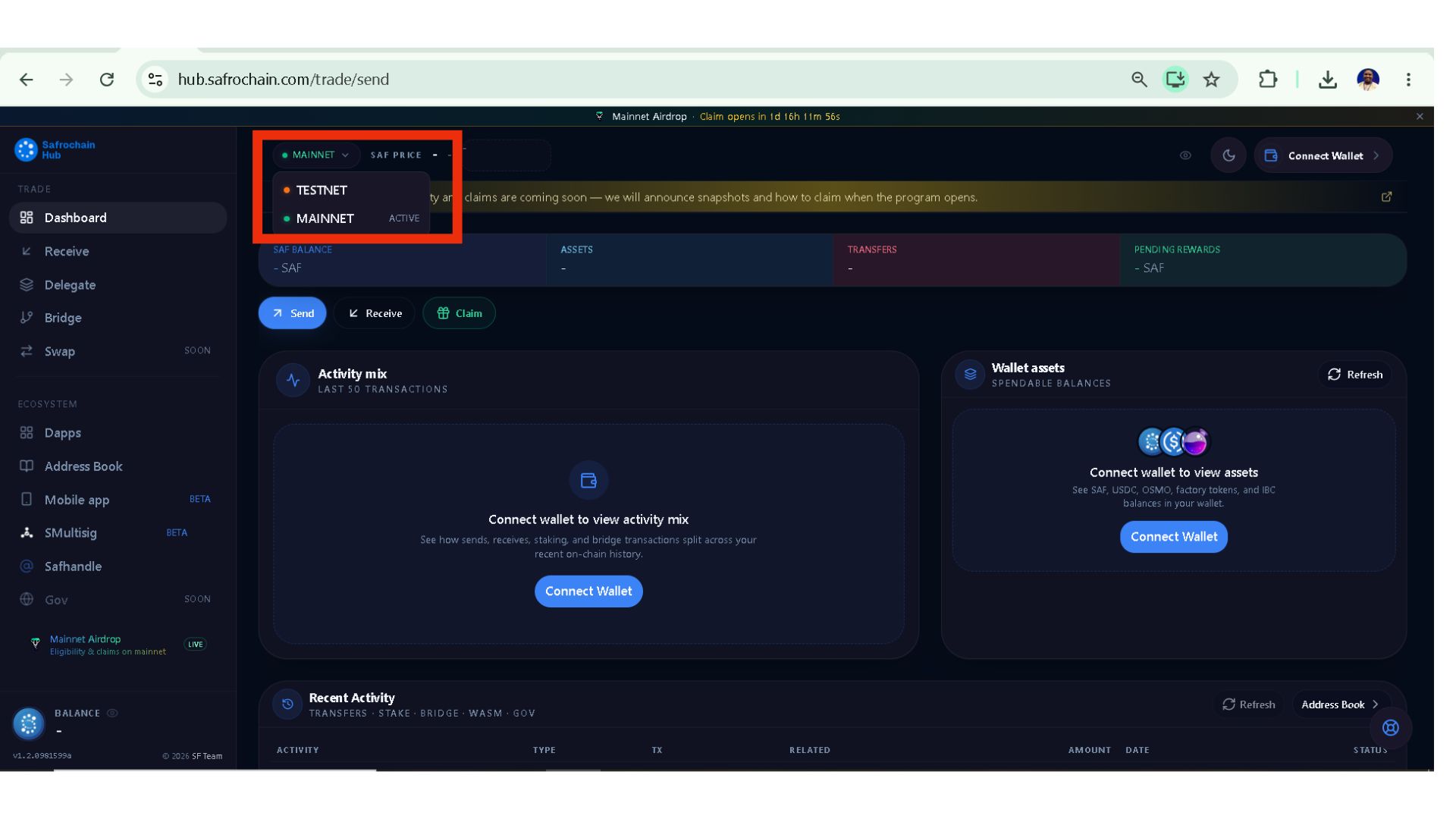
Always ensure that you are connected to the correct network before performing any transaction.
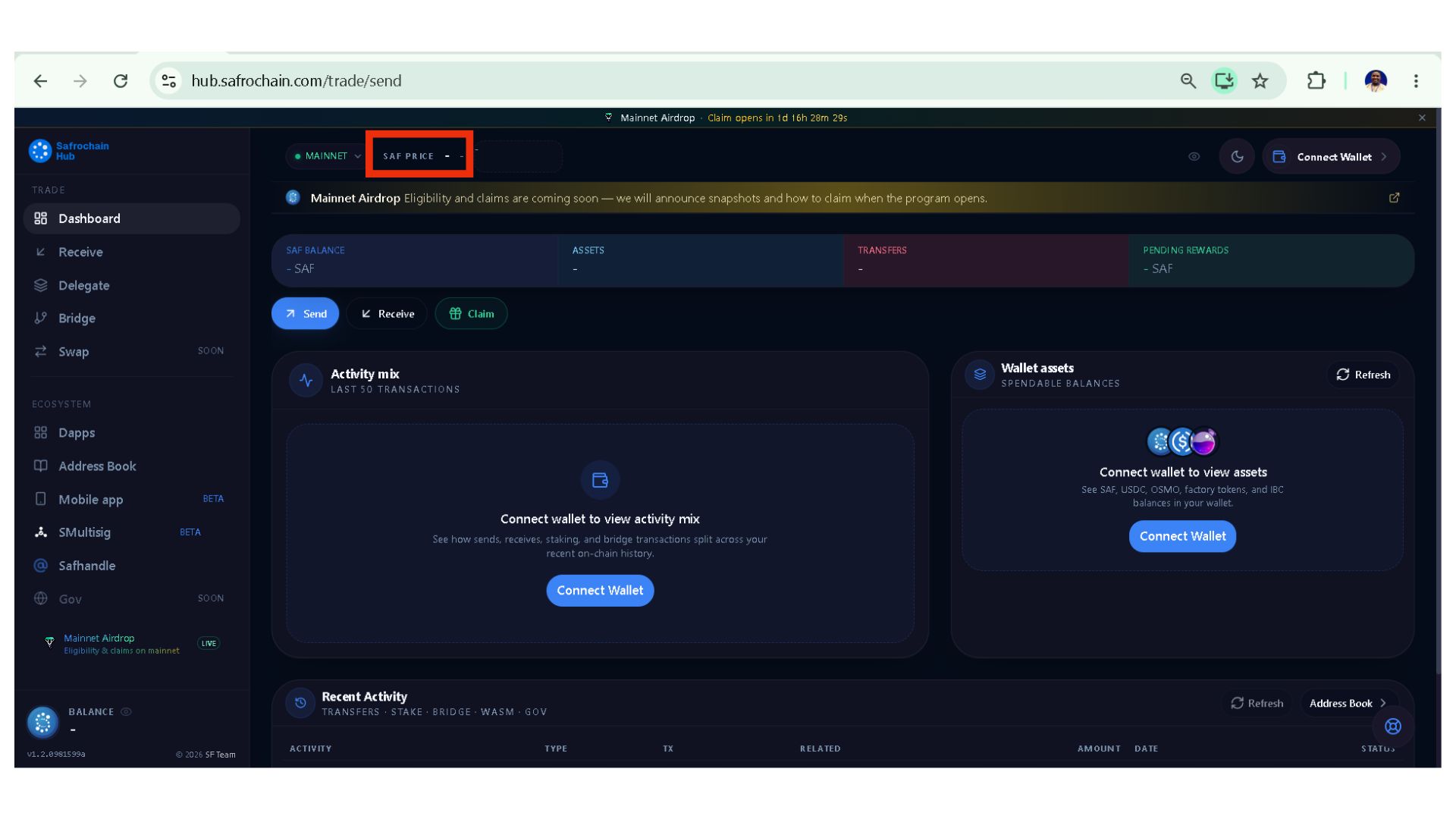
i.2. SAF Price
During Mainnet, this section displays the current market price of the SAF token. Although it does not affect transactions directly, it helps users estimate the value of their holdings while performing different activities within the Safrochain ecosystem.
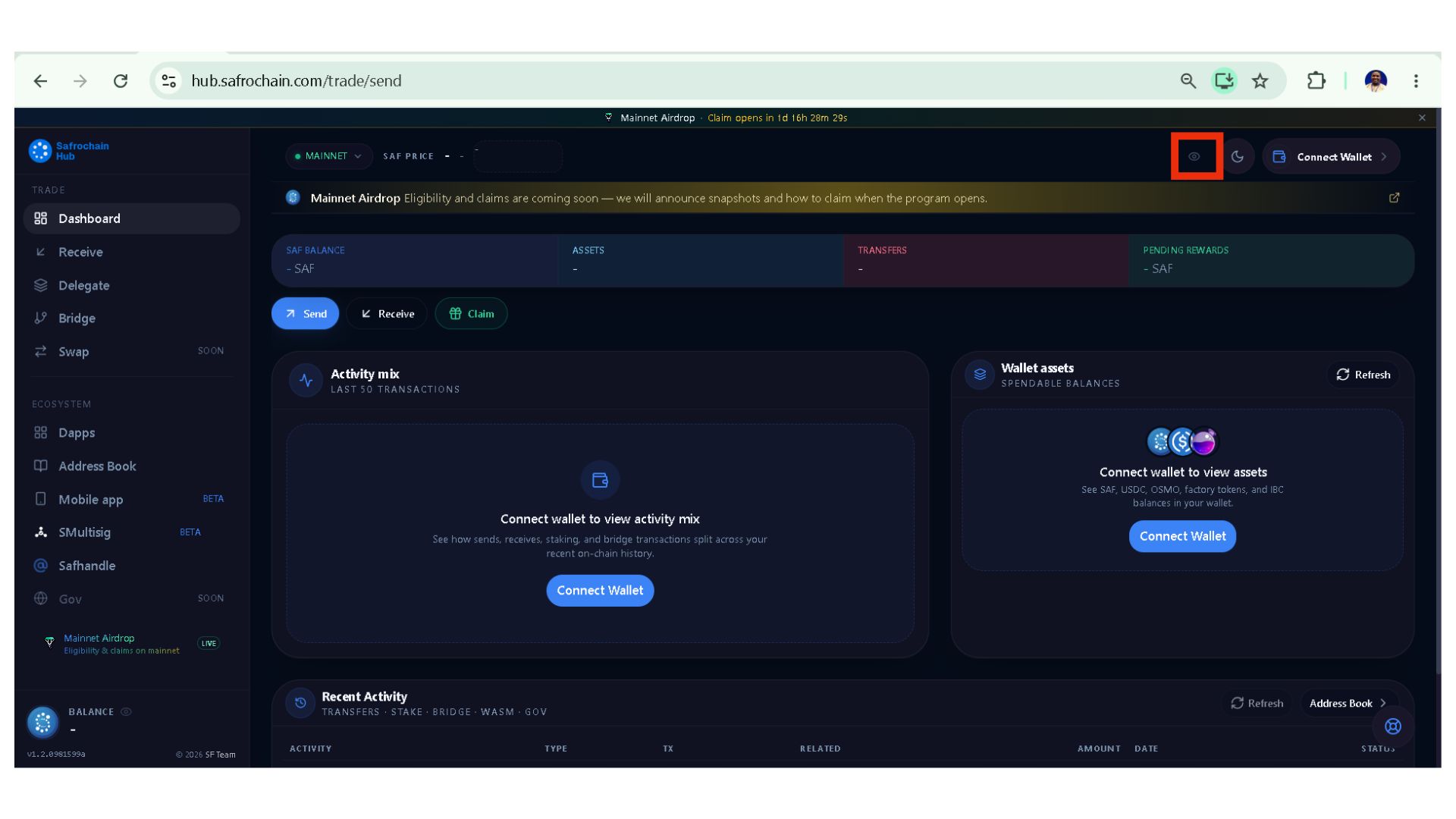
I.3. Show or Hide Balances
The eye icon allows you to protect your privacy by hiding or displaying sensitive financial information. When enabled, you can quickly show or hide: Wallet balances, Delegated SAF, Pending rewards orOther asset values.
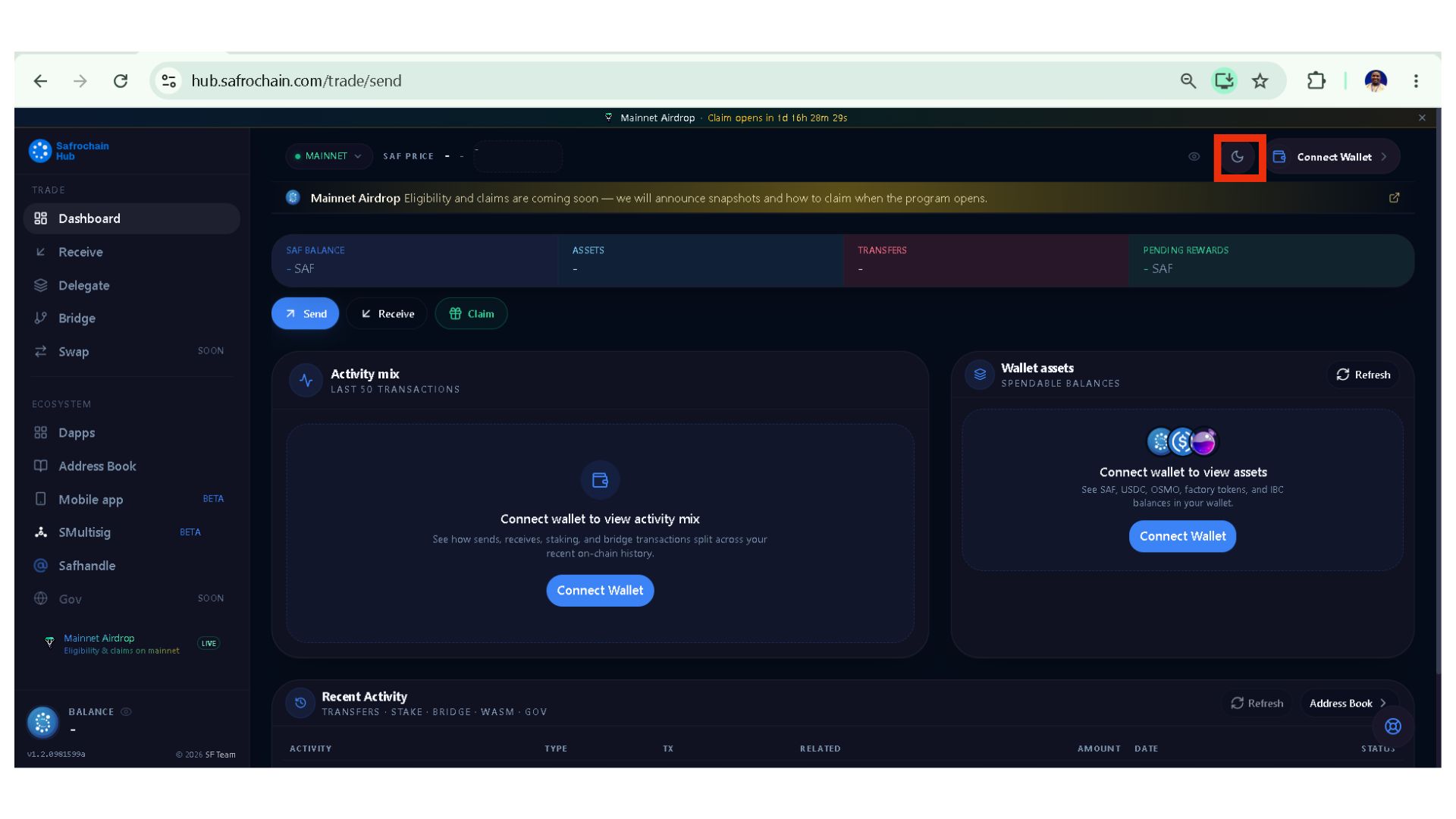
I.4. Theme (Light / Dark Mode)
Safrochain Hub supports both Light Mode and Dark Mode. Switch between themes according to your preference for a more comfortable viewing experience.
I.5. Connect Wallet
Connecting your wallet is one of the most important steps before using Safrochain Hub. Since all activities performed through the Hub are on-chain, every action requires a compatible blockchain wallet.
Before connecting your wallet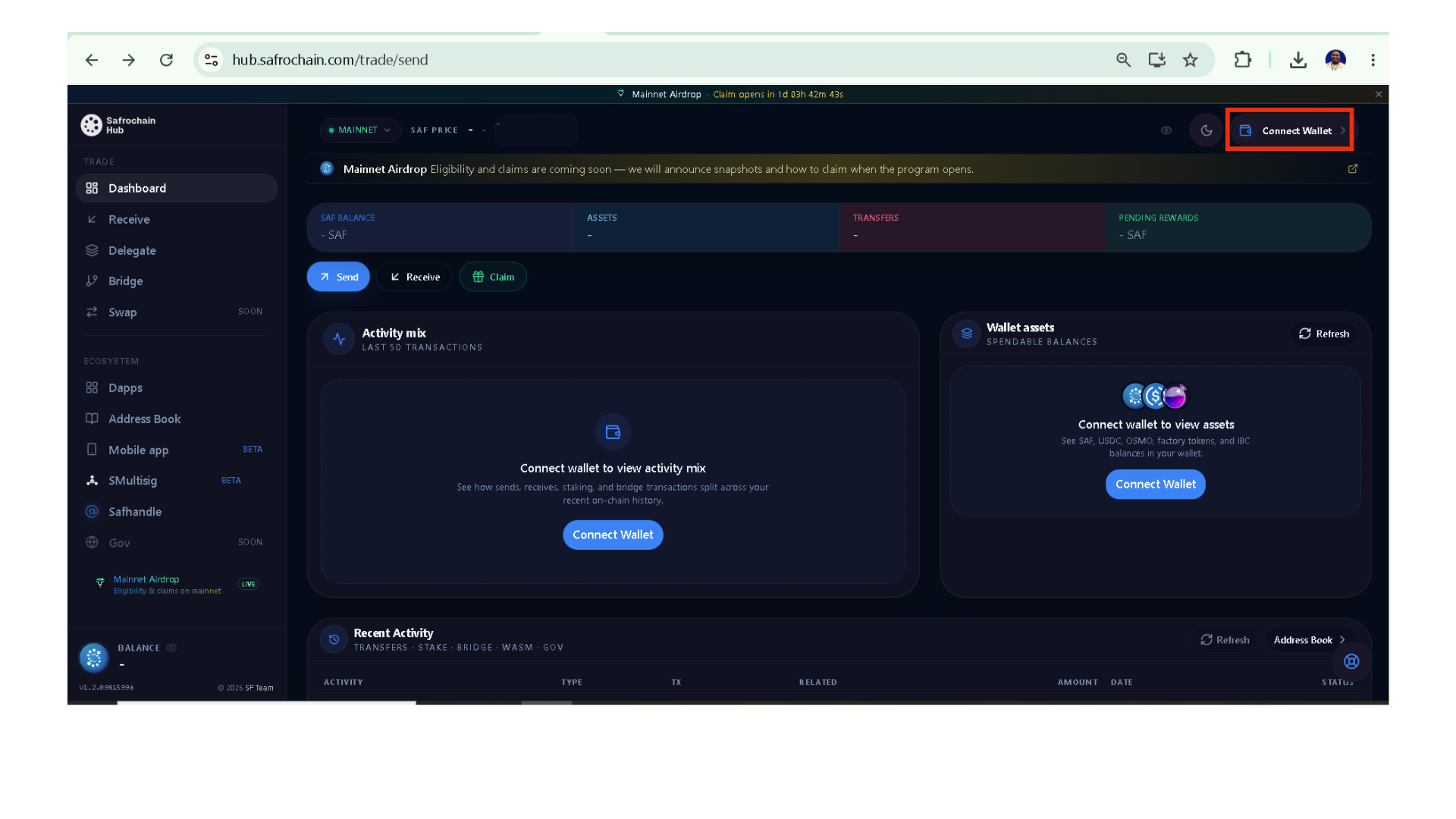
Before clicking Connect Wallet, make sure that:
- You already have a compatible wallet such as Keplr;
- The account currently opened in Keplr is the one you intend to use with Safrochain Hub;
- After connecting successfully, your wallet information becomes available within the Hub.
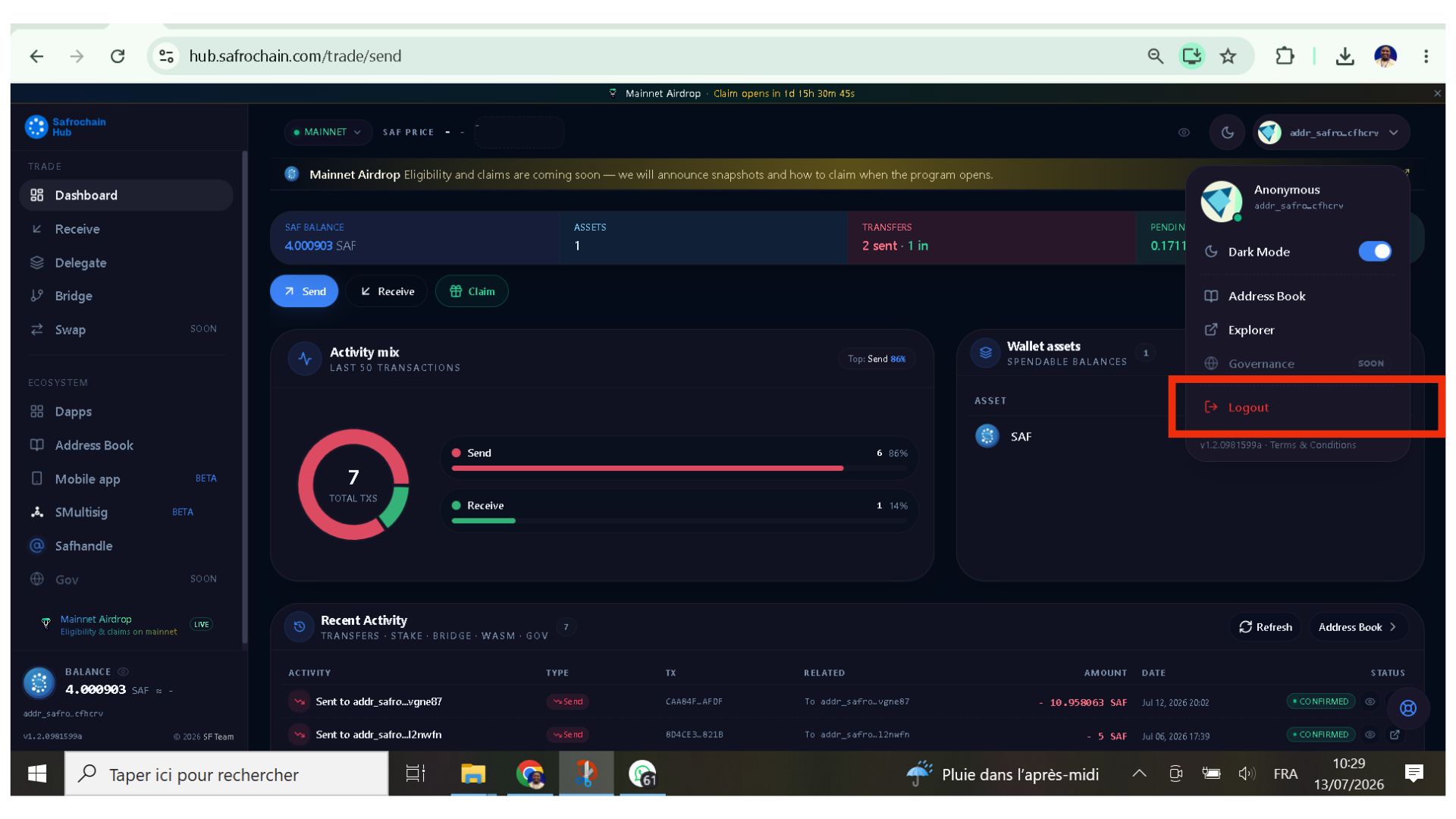
I.5.1.Logout.
If you wish to use another wallet, simply click Logout. This disconnects your current wallet without requiring you to refresh or reopen Safrochain Hub. You can then connect a different wallet following the same connection process.
Part II. Table of Contents
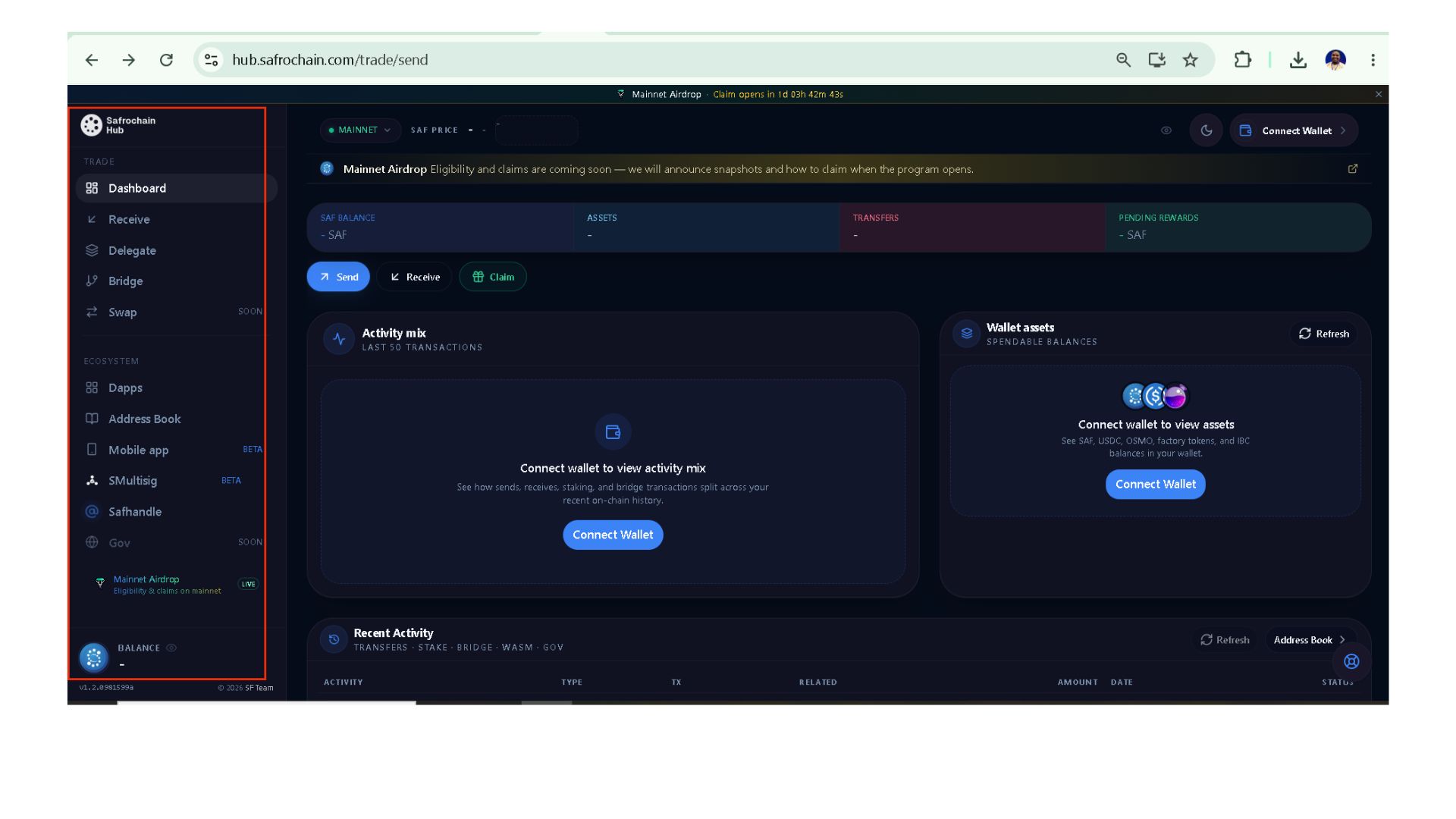
The Table of Contents is the main navigation panel of Safrochain Hub. Once you have selected your network and connected your wallet, this section gives you access to the platform’s different on-chain services.
The 2 main available categories include : Trade & Ecosystem
II.1. Trade
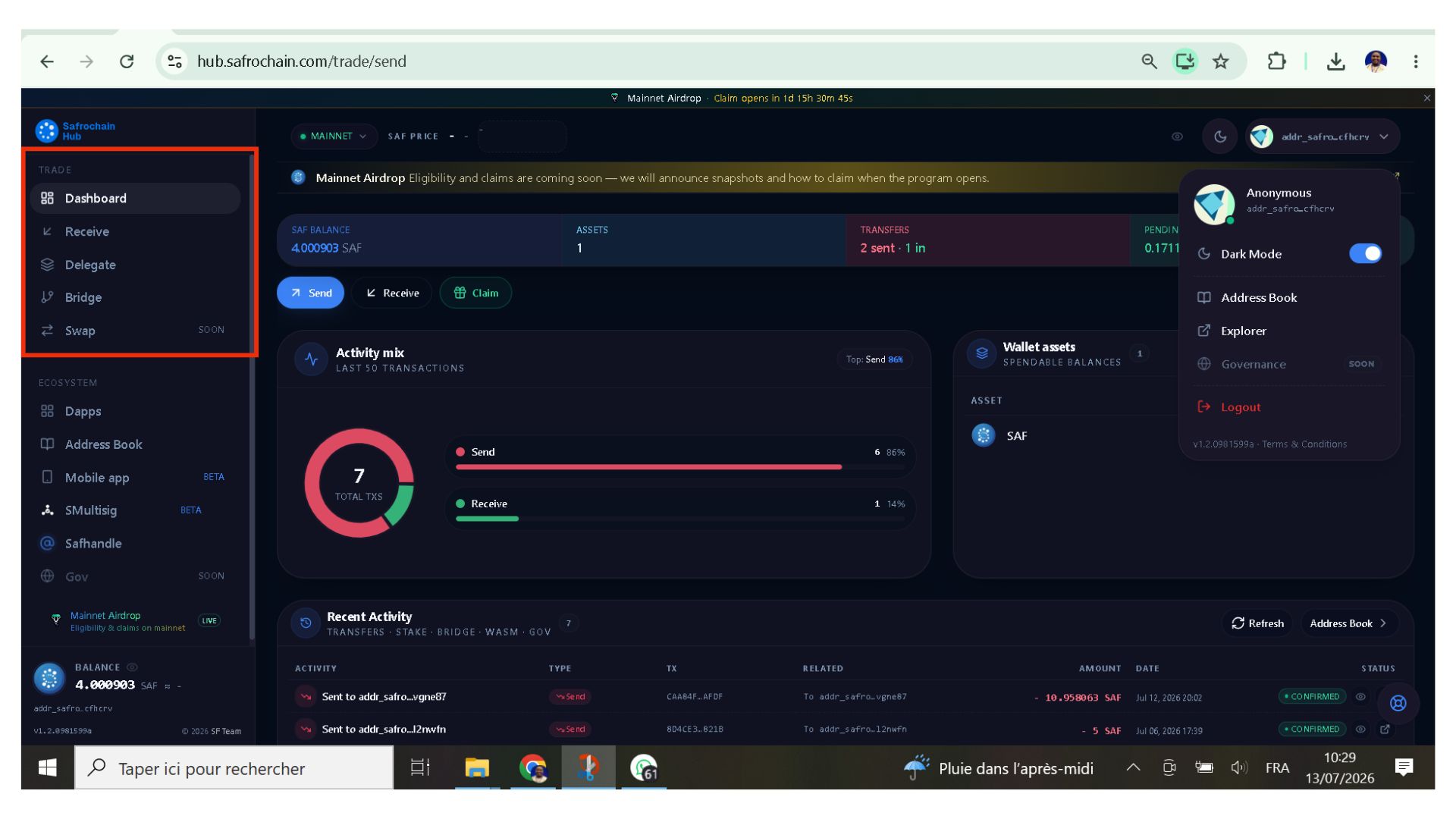
The Trade section allows users to transfer, receive, delegate, bridge and swap assets across the Safrochain ecosystem. It contains five main features.
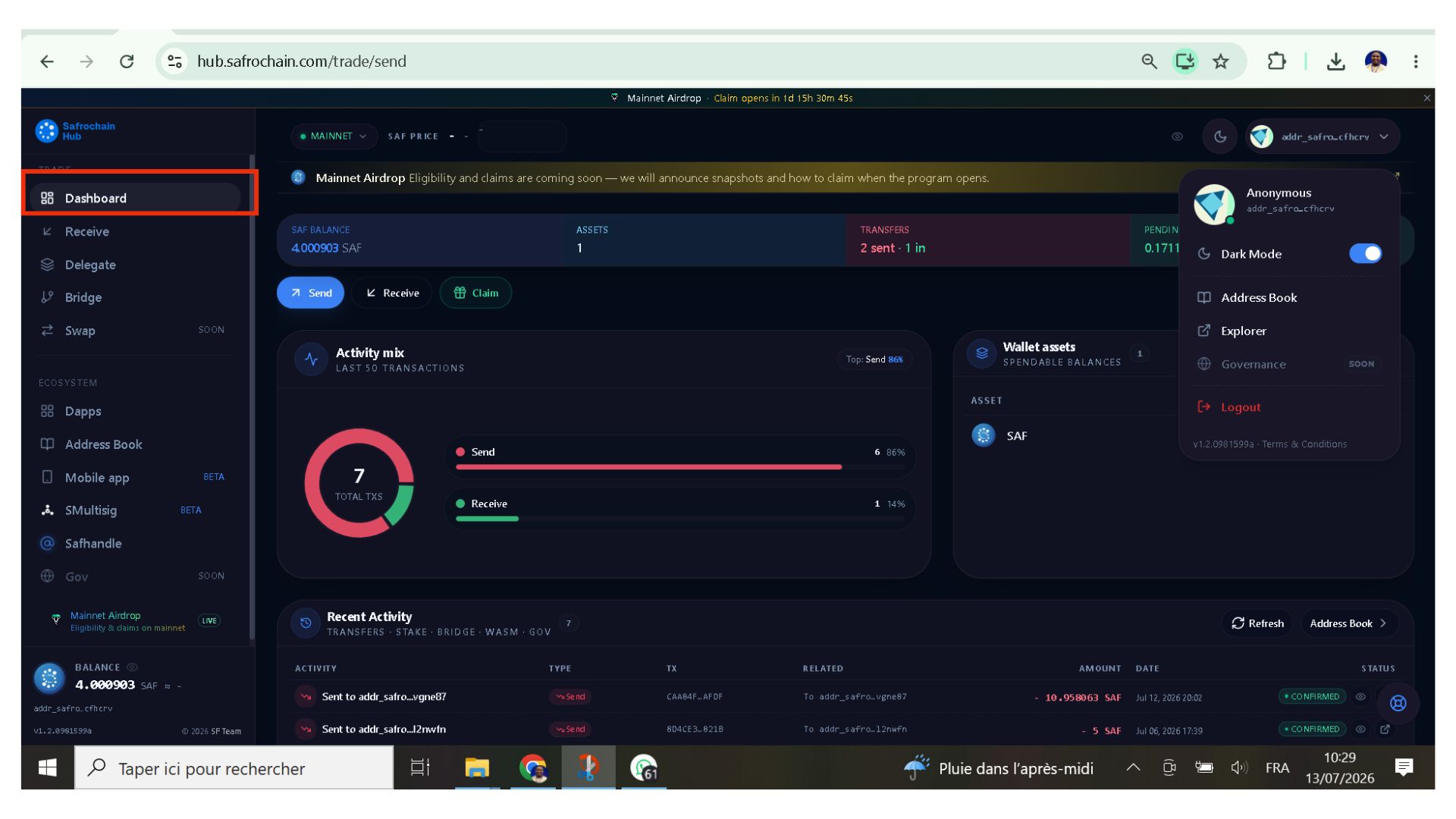
II.1.1. Dashboard
The Dashboard provides an overview of the connected wallet. Here you can view: Wallet balance, number of assets, total transactions & pending staking rewards.
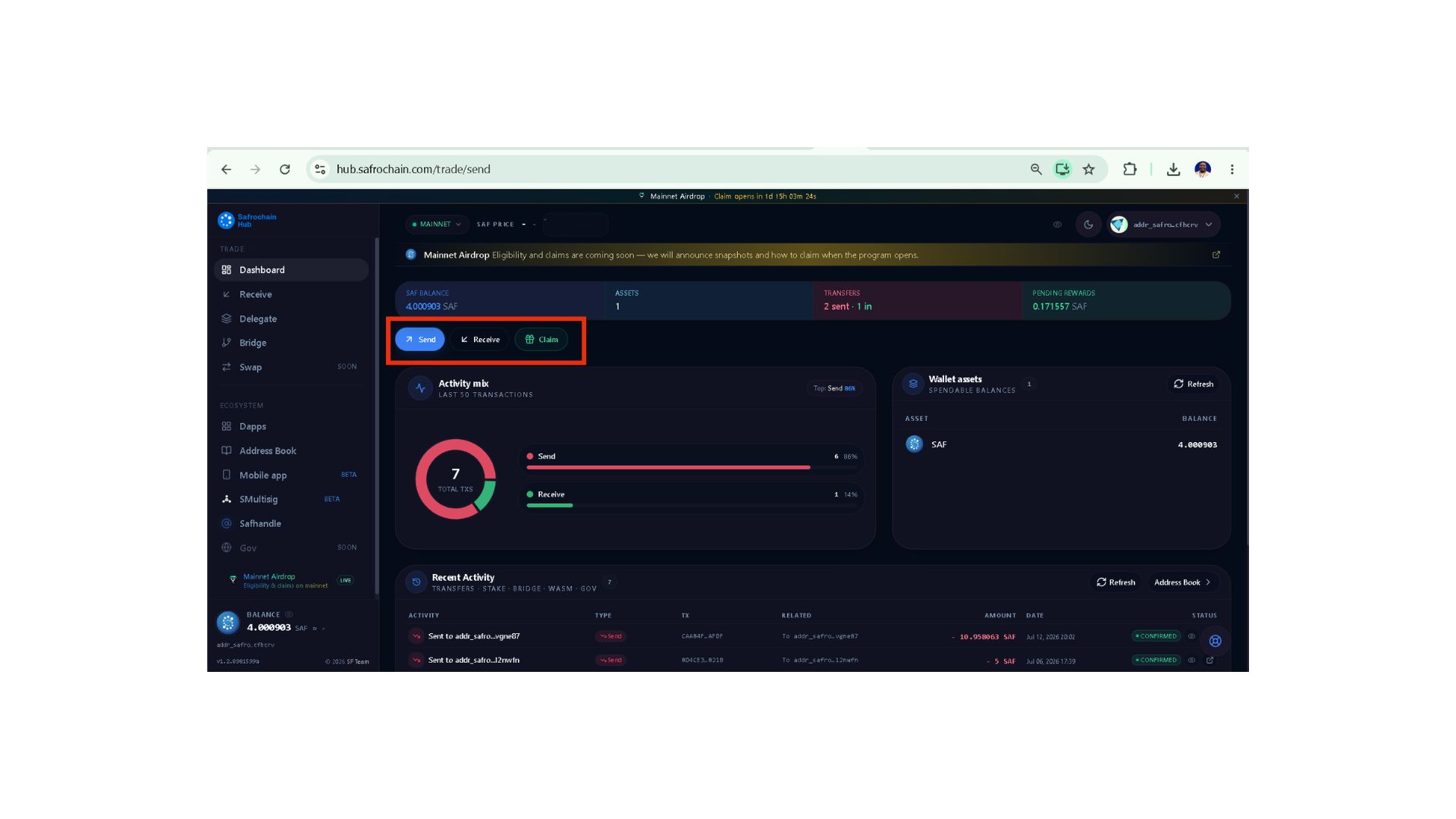
Send / Receive/Claim
Without leaving Safrochain Hub, you can: Send SAF; Receive SAF or Claim pending staking rewards. This eliminates the need to perform these actions directly from Keplr.
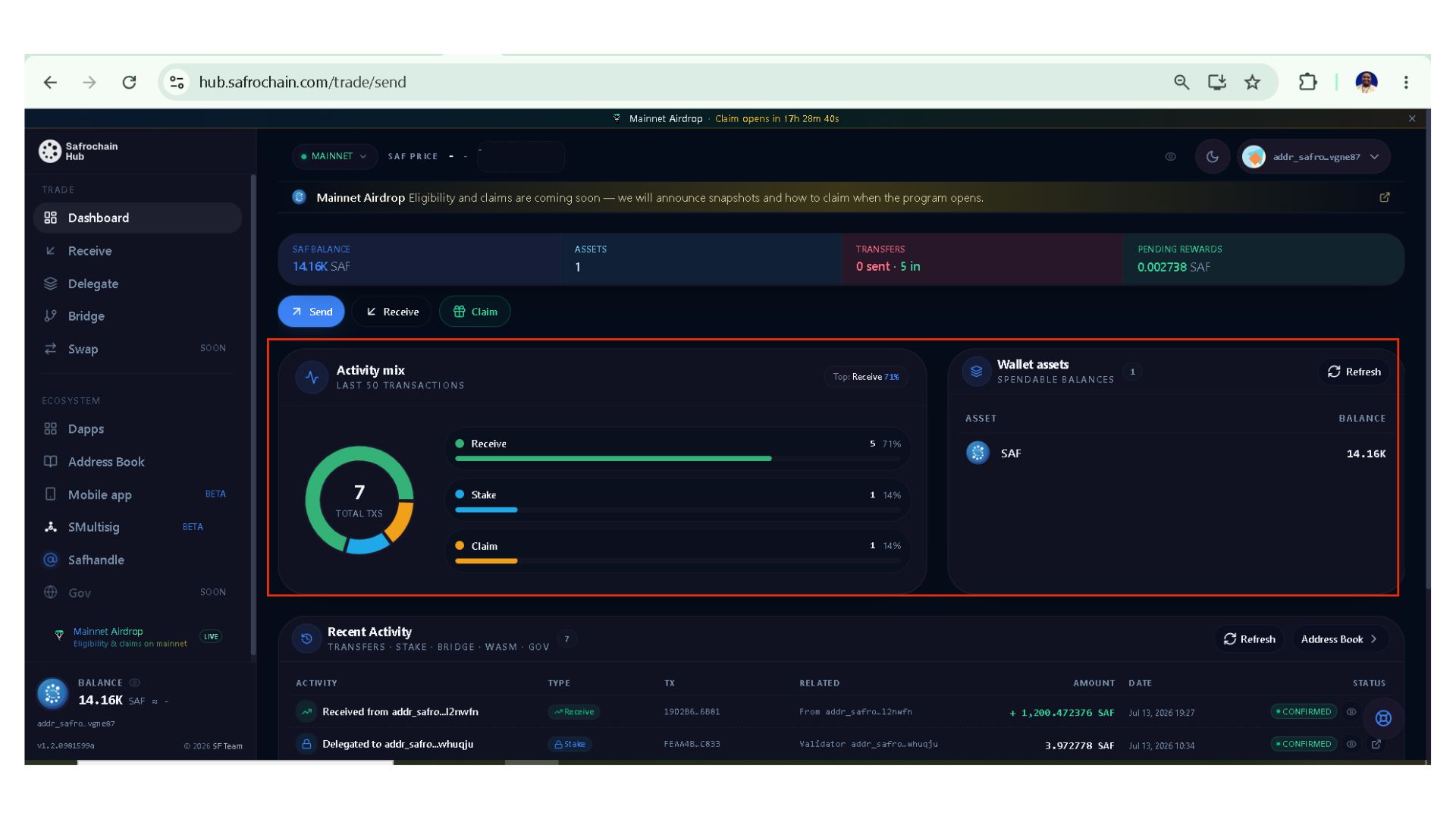
Activity Mix
A circular chart summarizes your wallet activity, including: Sent transactions, Received transactions, Spendable assets, Spendable balance.
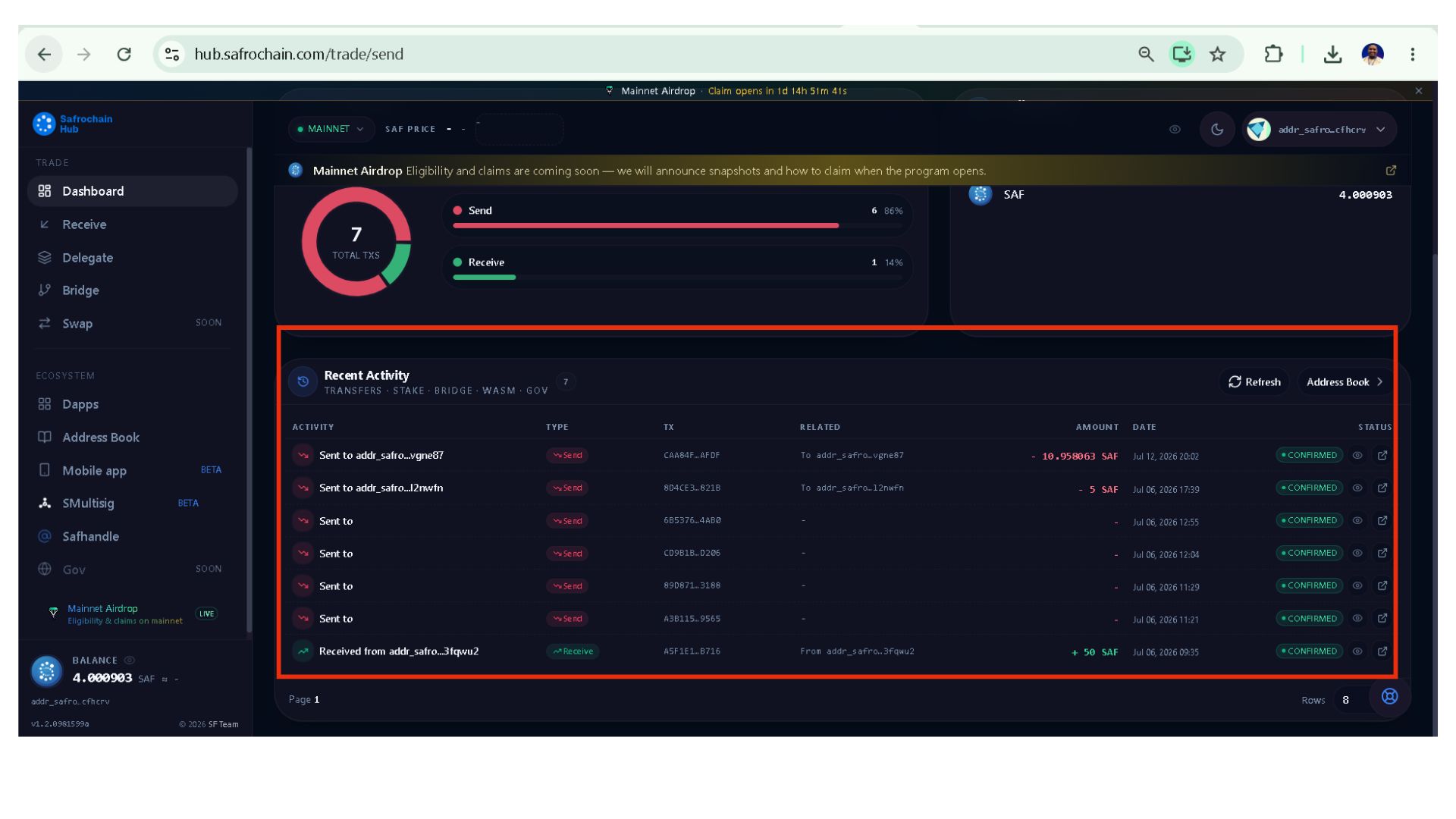
Recent Activity
This section lists the latest transactions made by your wallet, making it easy to monitor incoming and outgoing transfers.
II.1.2. Receive
The Receive page makes it easy to find the addresses required to receive assets.
Receive SAF
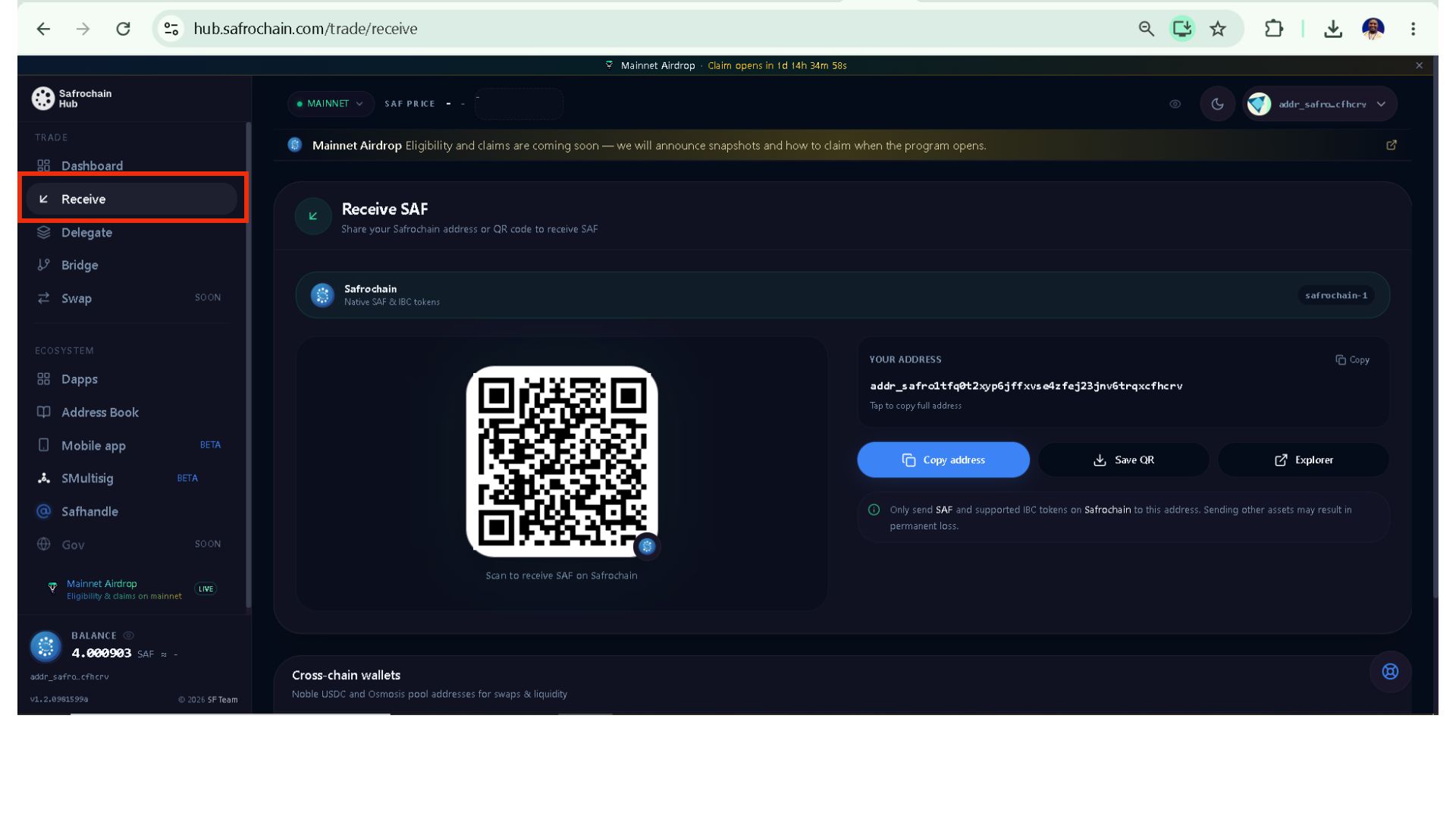
Here you can: Copy your wallet address, Download the QR Code & View your address in the blockchain explorer.
Cross-chain Wallets
Safrochain Hub also provides addresses used for cross-chain interactions with supported networks such as: Noble & Osmosis. These addresses are used when bridging assets or interacting with liquidity pools.
II.1.3. Delegate
The Delegate section allows you to stake your SAF tokens with active validators. This page displays information such as:
- Total delegated SAF
- Pending rewards
- Validator commission
- Number of validators receiving your delegation.
It also displays your staking history, including previous delegations and reward claims.
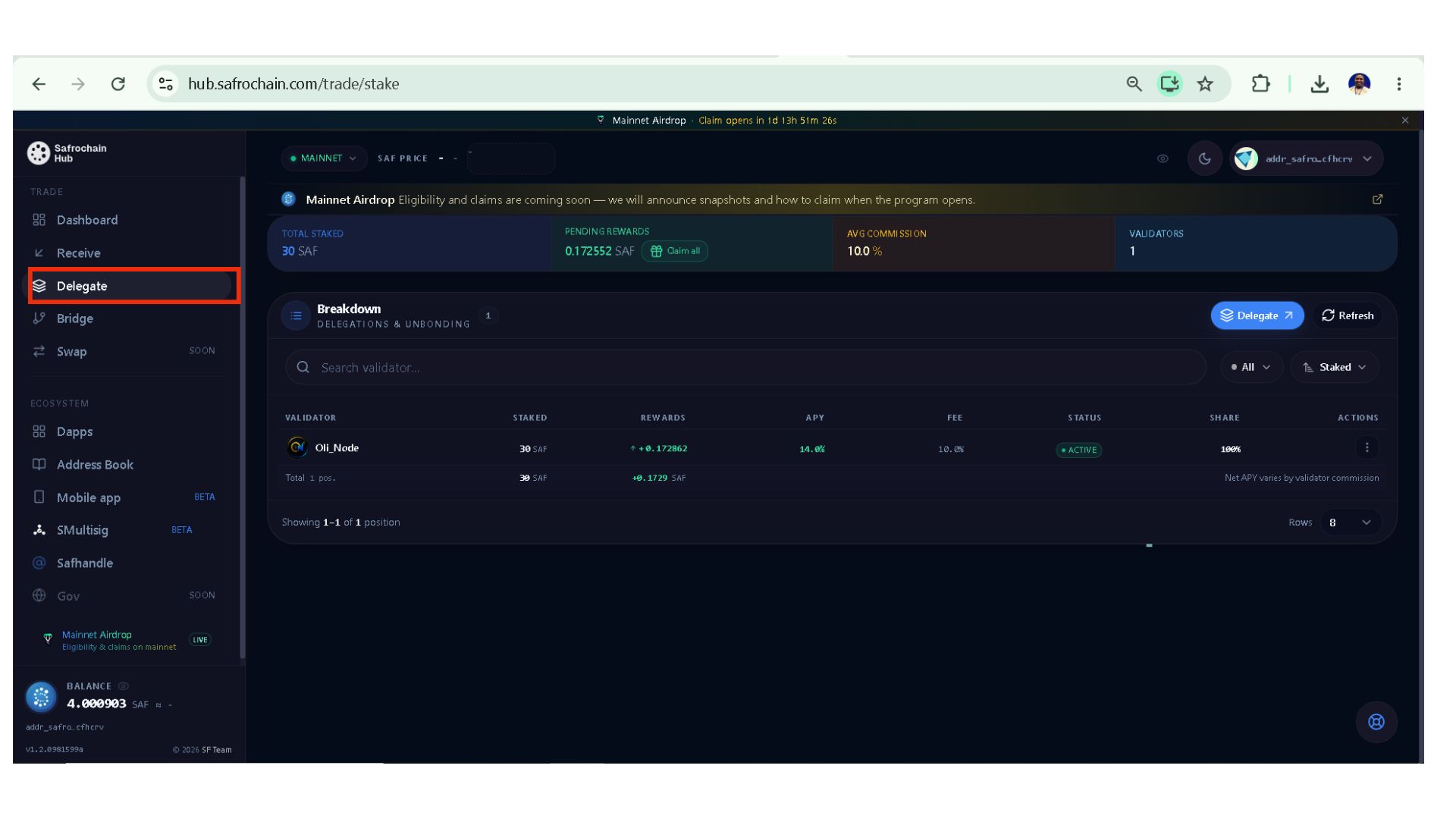
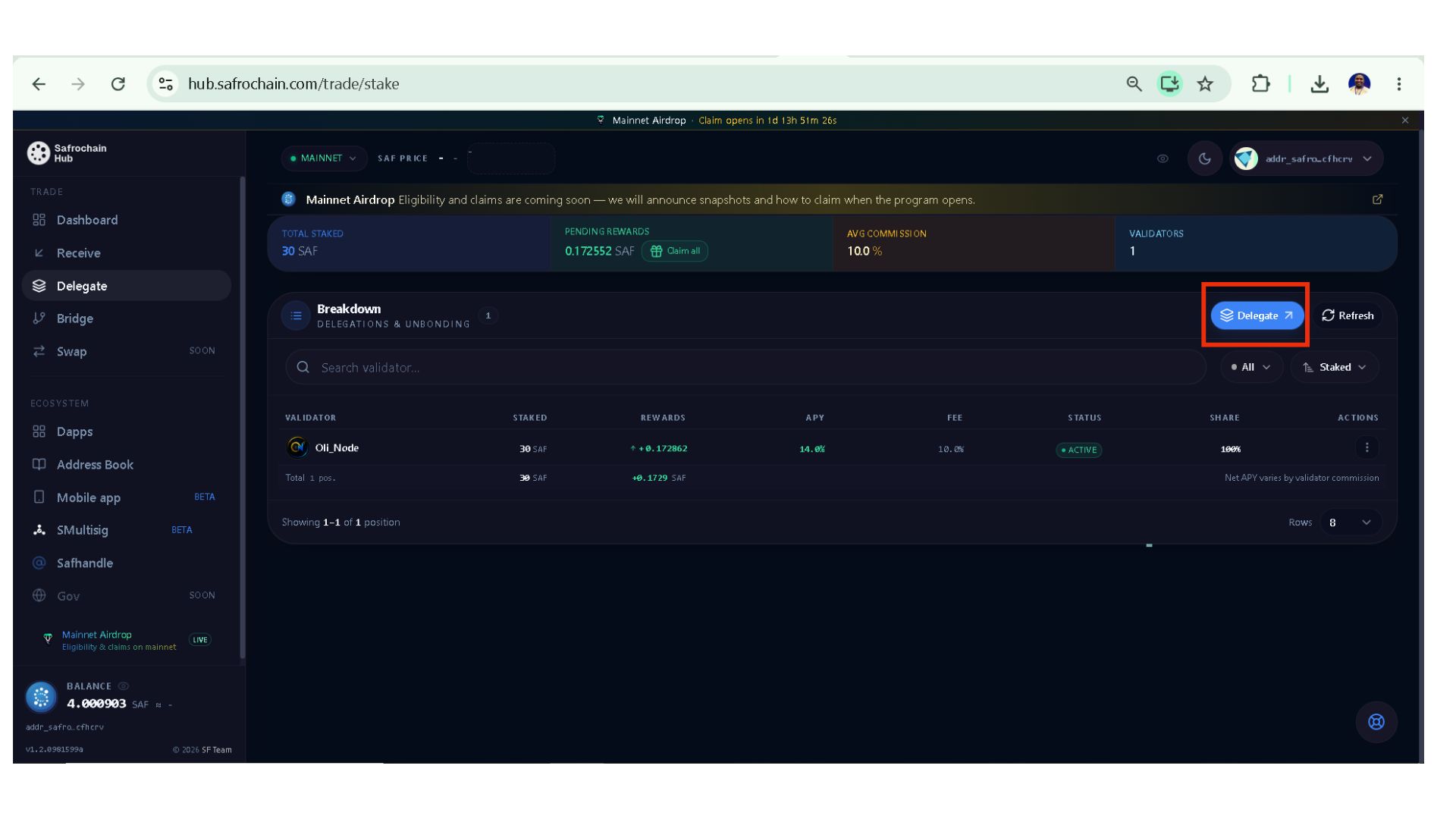
To delegate your SAF, bellow are the steps:
Step 1: Click on Delegate.
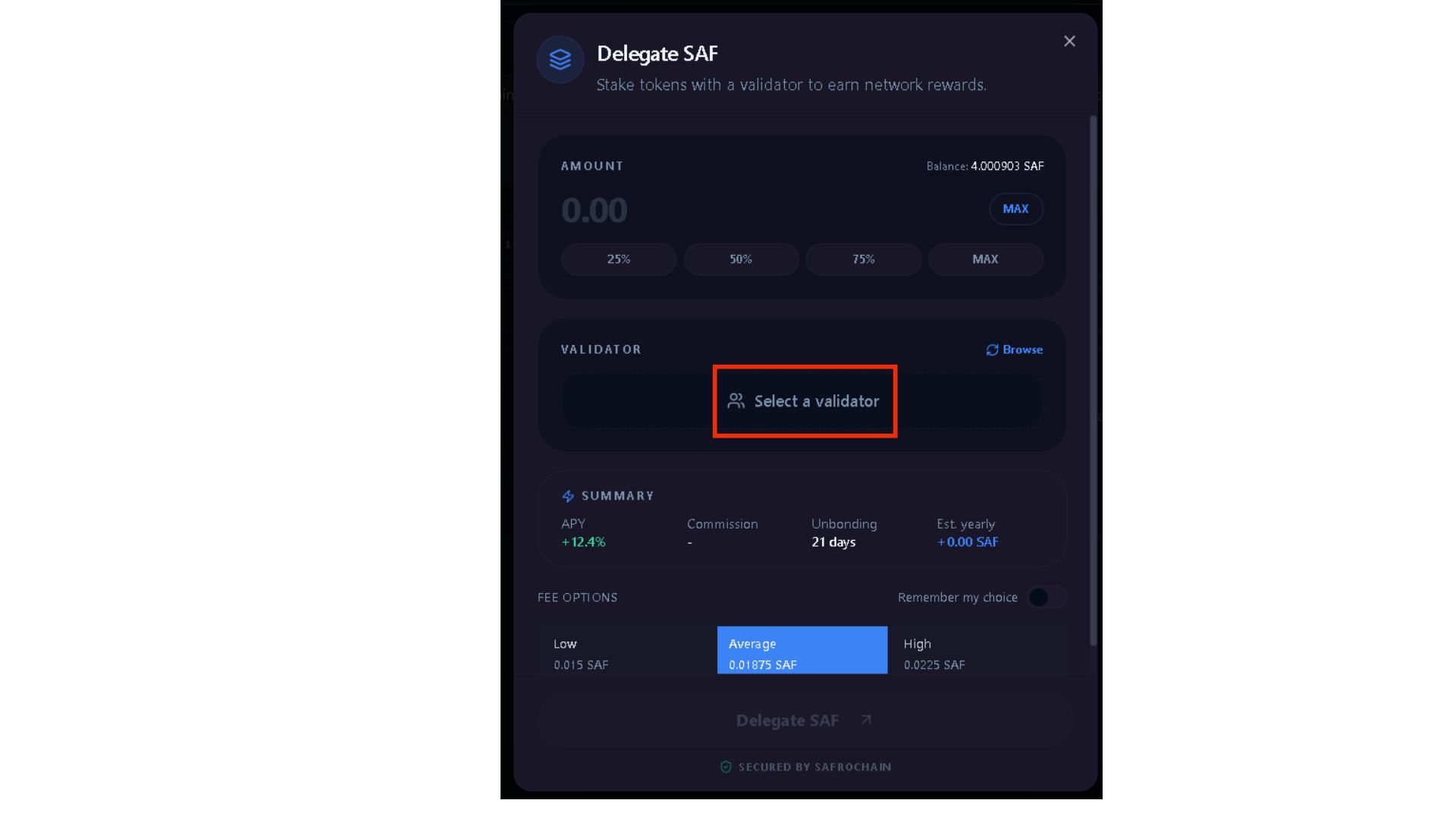
Step 2: Click Select a Validator.
Step 3: Search or scroll through the list and choose the validator you want to support, clic on it, and then enter the amount of SAF you want to delegate.
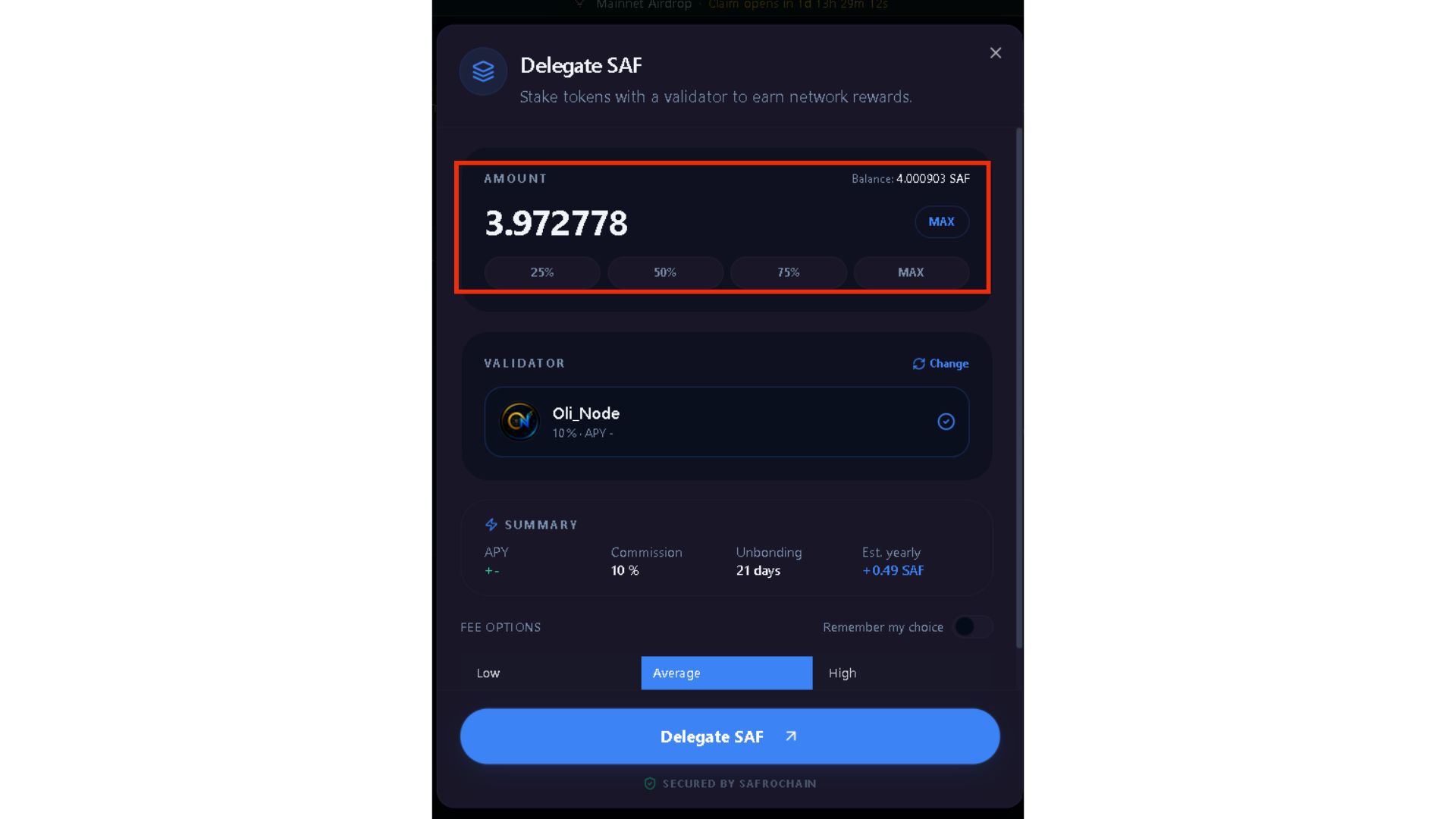
Step 5, Click Delegate SAF, and then approve the transaction from the popup displayed by your wallet.
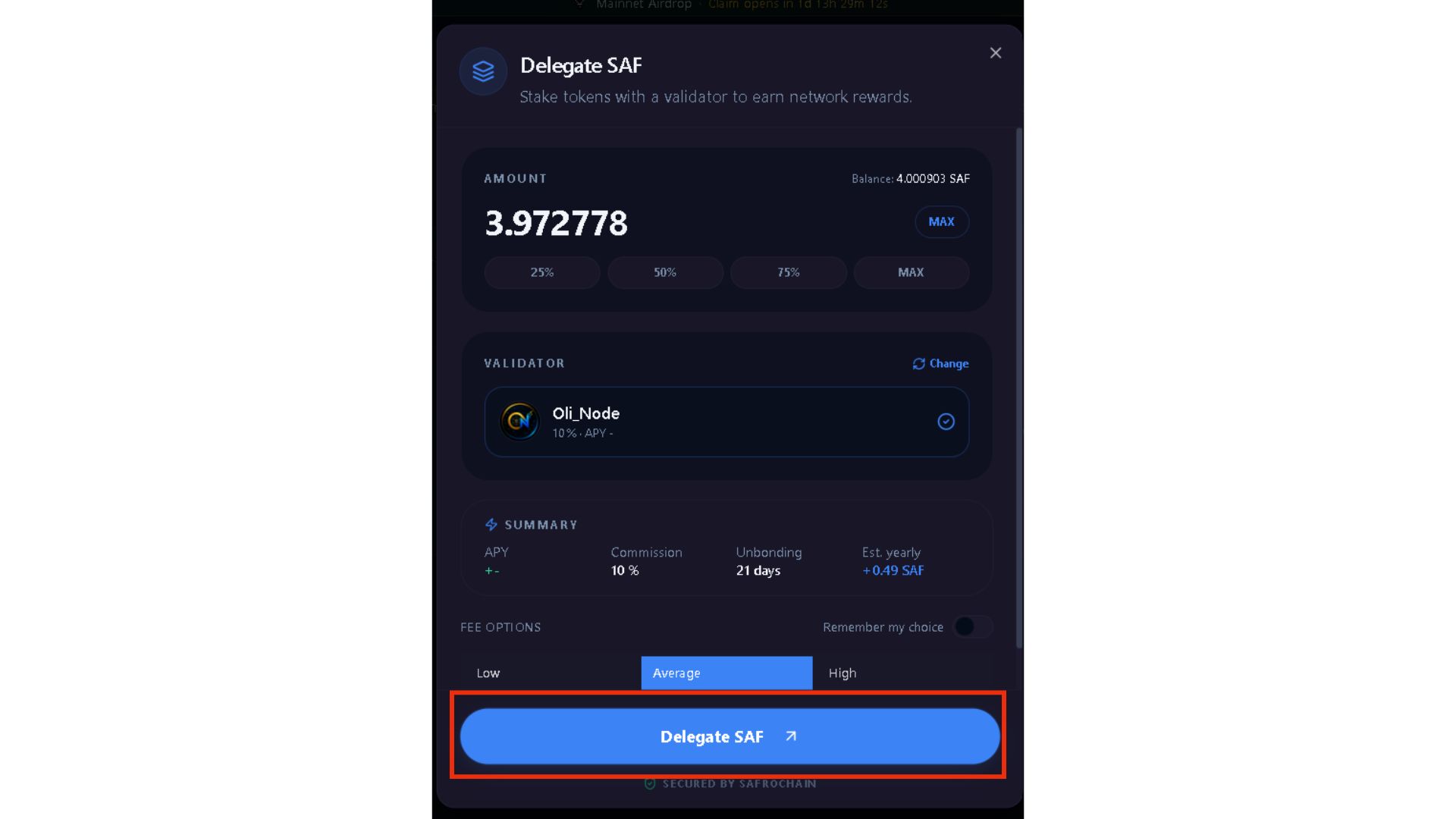
Once confirmed, your delegation becomes active.
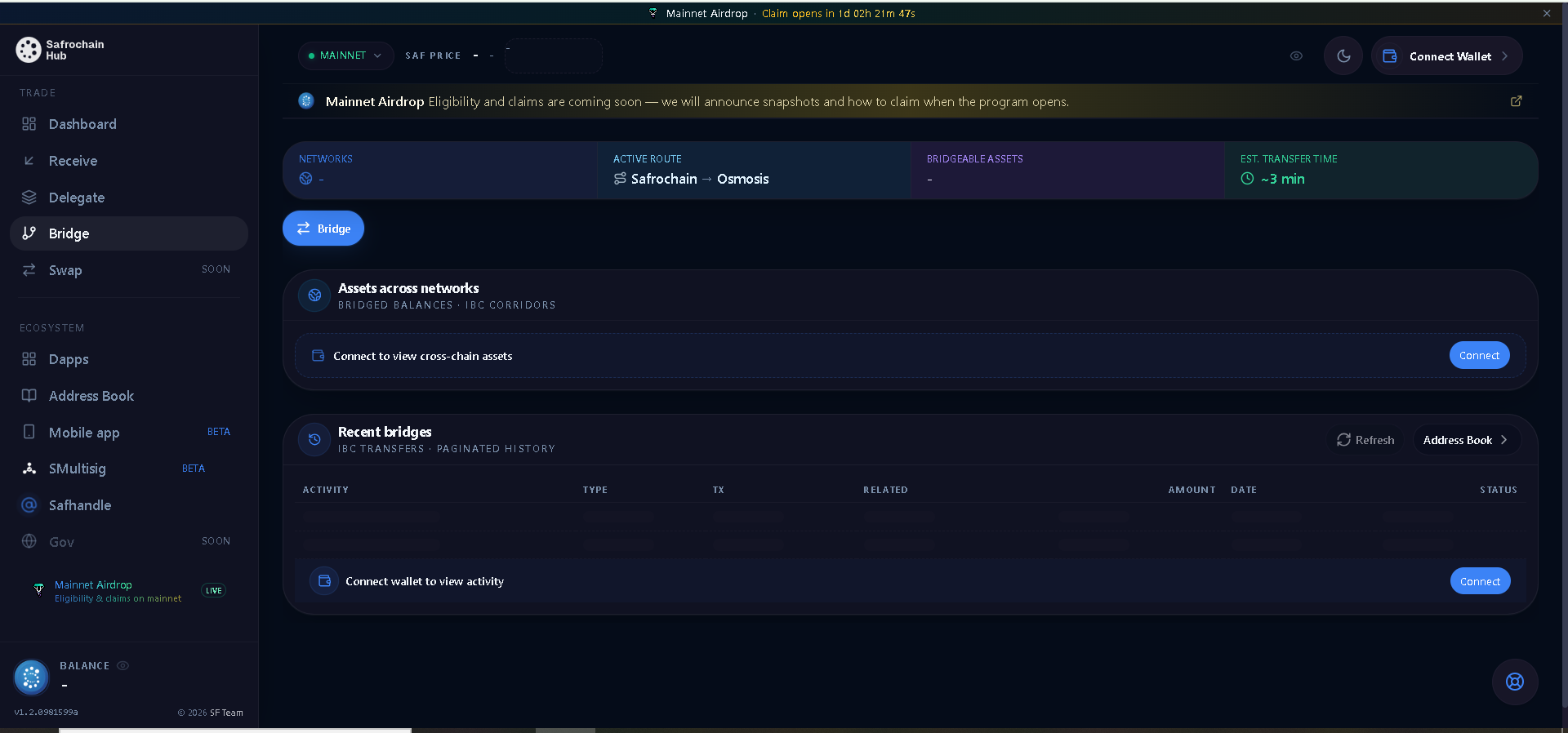
II.1.4. Bridge
The Bridge enables users to transfer assets between Safrochain and other IBC-compatible blockchains. At the time of writing, Safrochain Hub supports interactions with:
- Noble, for SAF and USDC.
- Osmosis, for SAF and other Cosmos ecosystem assets.
How to Bridge Assets
The following example uses the Testnet for demonstration purposes.
Step 1: Open the Bridge page.
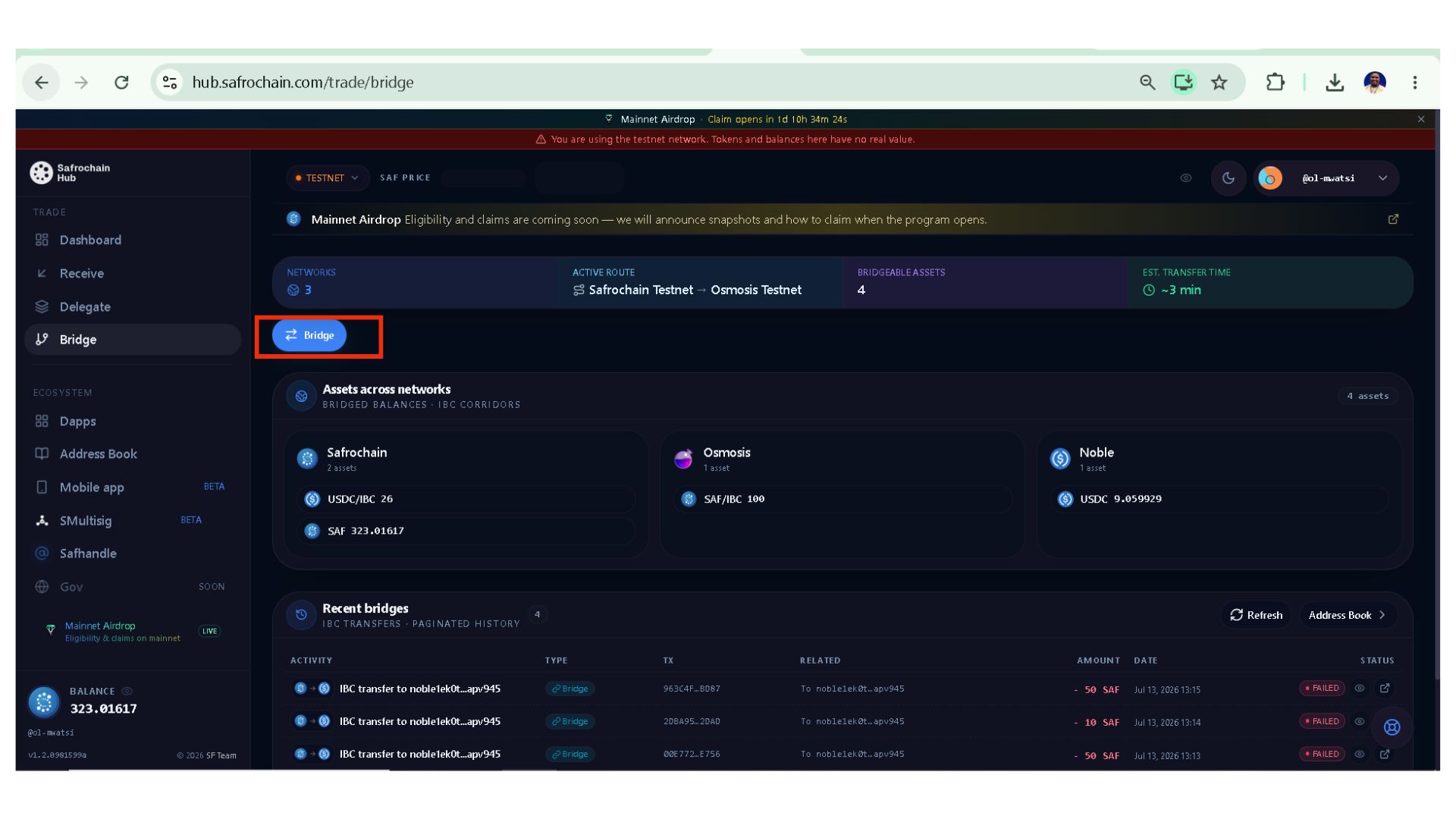
Step 2: Select the source network containing the assets you want to transfer. For this example, I select Safrochain.
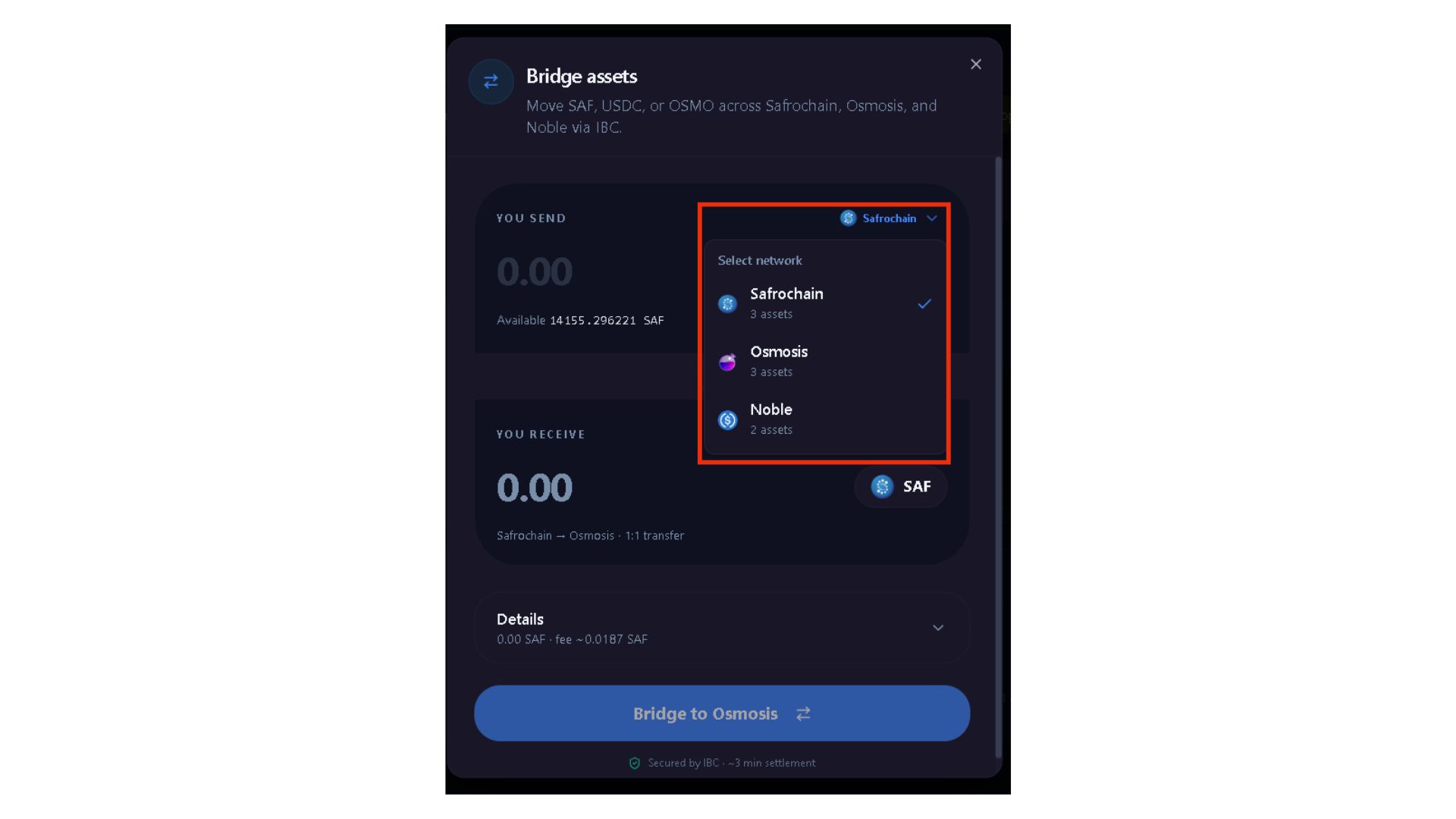
Step 3: Enter the amount you wish to bridge.
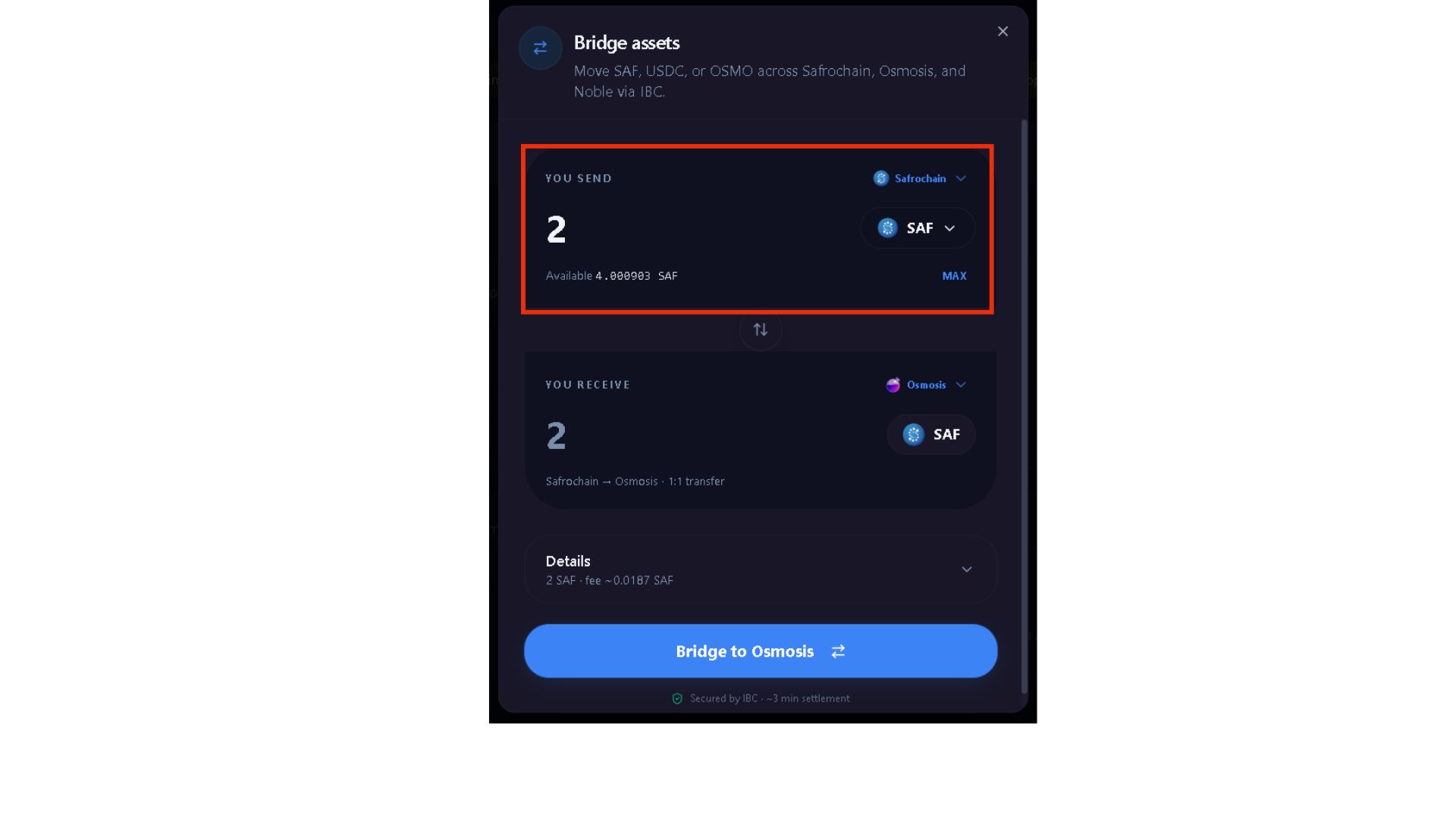
Step 4: Select the destination network (Noble or Osmosis).
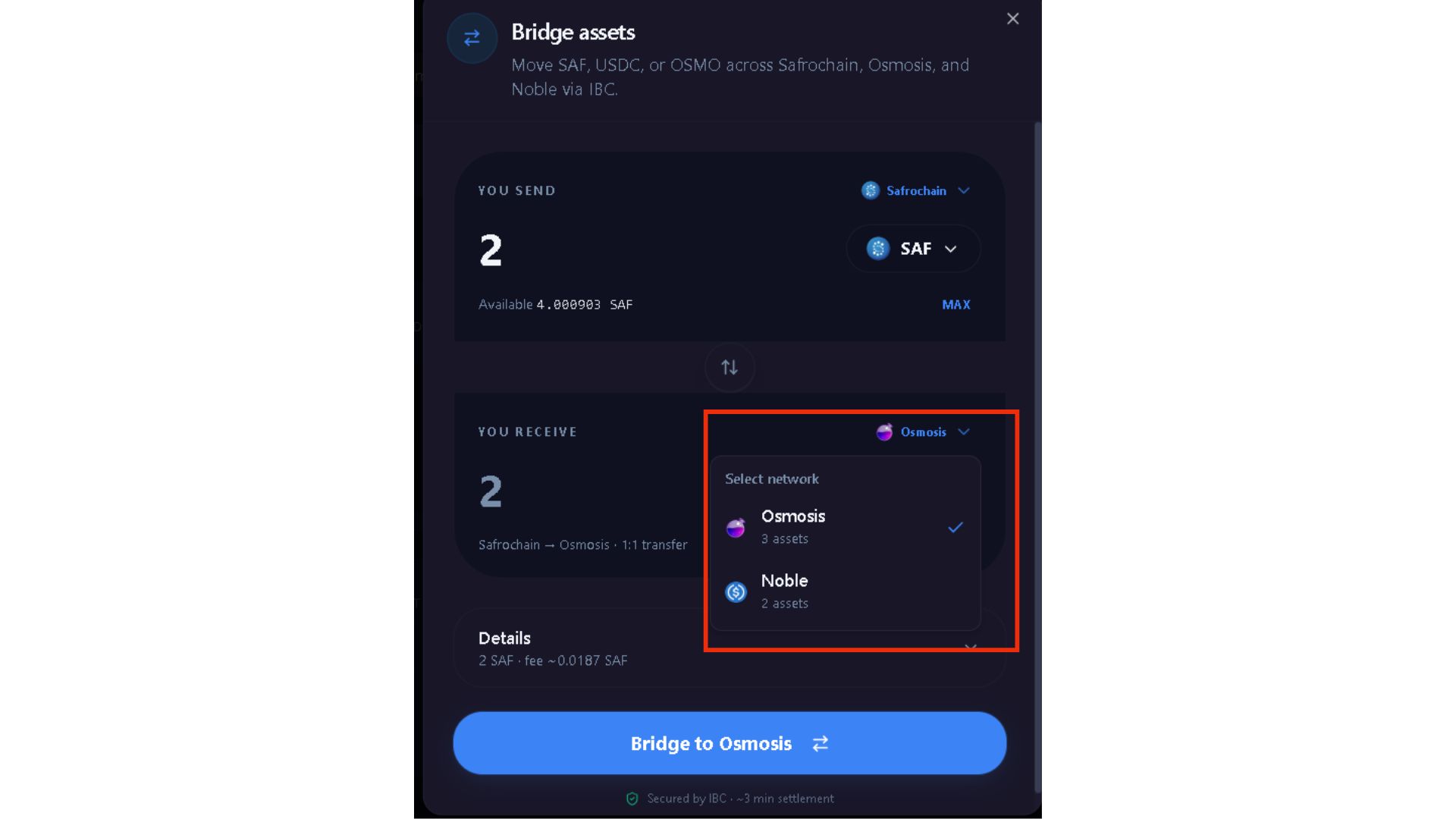
Step 5: Click Bridge on Bridge to (Osmosis or Nobel) and then approve the transaction from your wallet popup.
Note: Bridging SAF from Safrochain to Noble or Osmosis allows the assets to become available on Noble or Osmios, where they can then be swapped for supported assets such as USDC.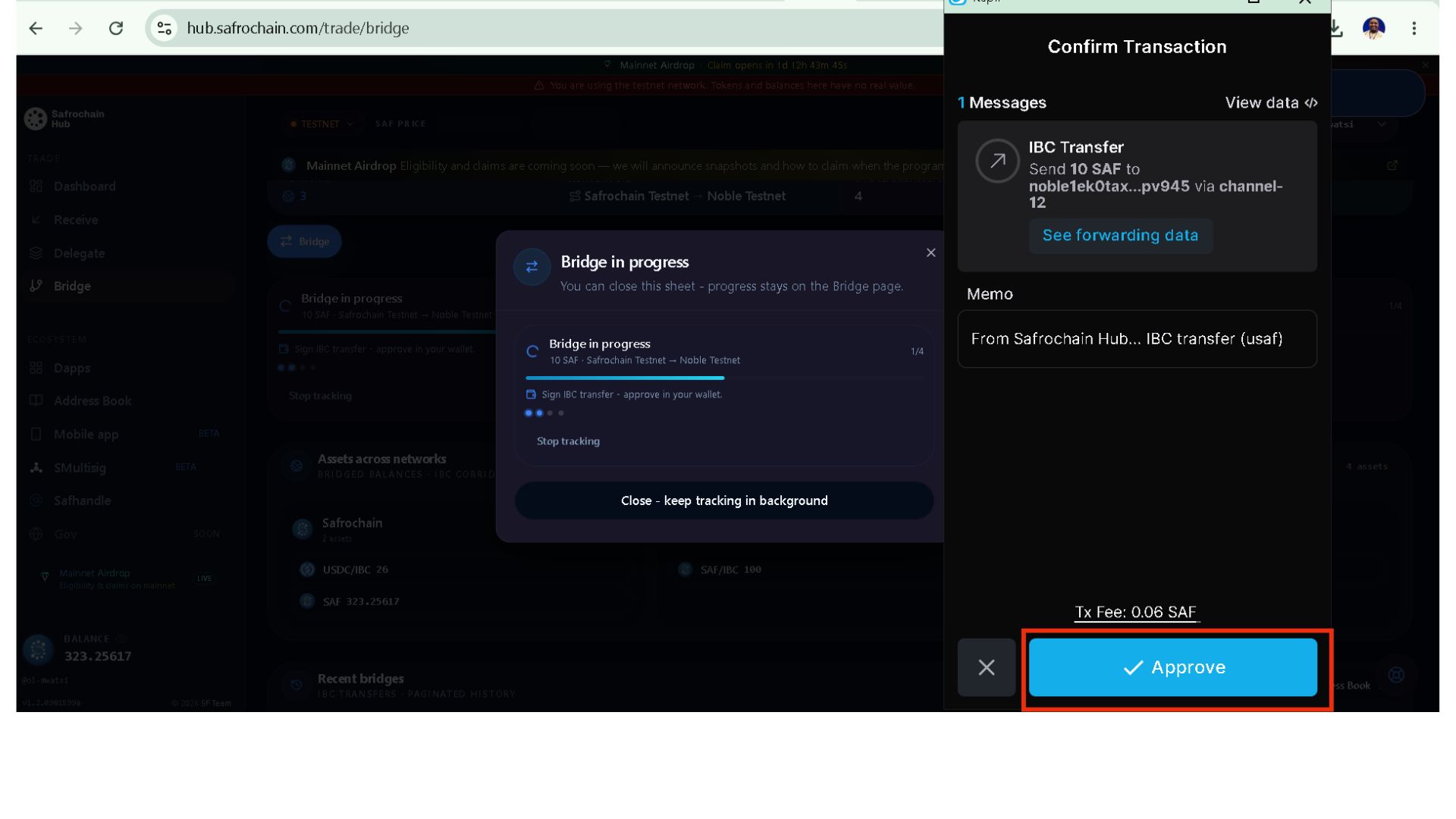
Assets Across Networks: This page provides a consolidated view of your assets across all supported bridge networks, including: Safrochain, Noble & Osmosis.
Recent Bridges: This section displays your most recent bridge transactions.
II.1.5. Swap
The Swap section allows users to exchange supported assets across the Safrochain ecosystem. Through integrated liquidity pools, users can swap assets available on Safrochain, Noble, and Osmosis without relying on a centralized exchange.
If your assets are on a different supported network, you may first need to transfer them using the Bridge before completing the swap.
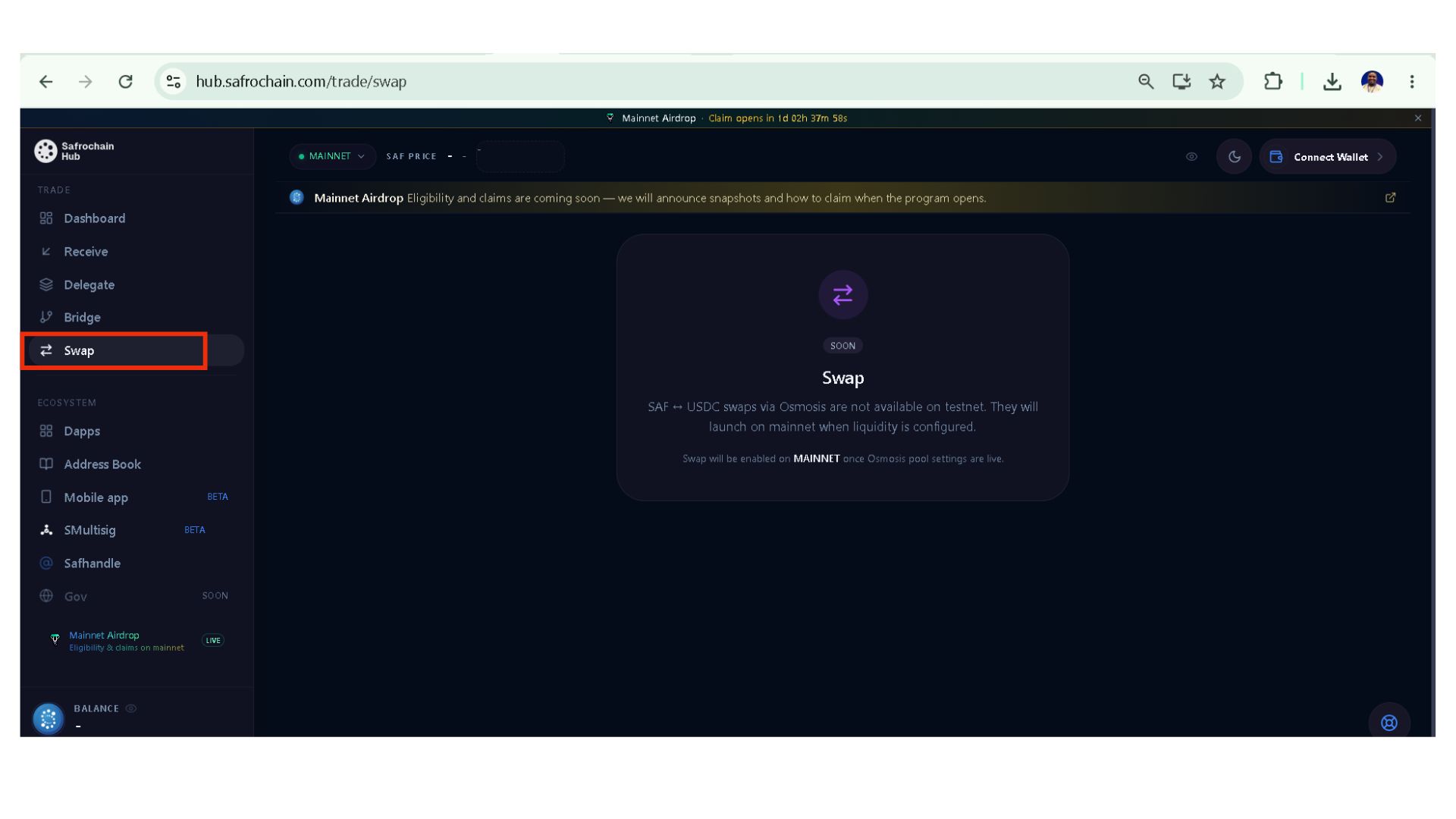
Note: The Swap feature is not available on Testnet. It will be enabled on Mainnet once the Osmosis liquidity pools have been configured and are live.
II.2. Ecosystem
The Ecosystem section provides quick access to the different applications, resources & activities that make up the Safrochain ecosystem.
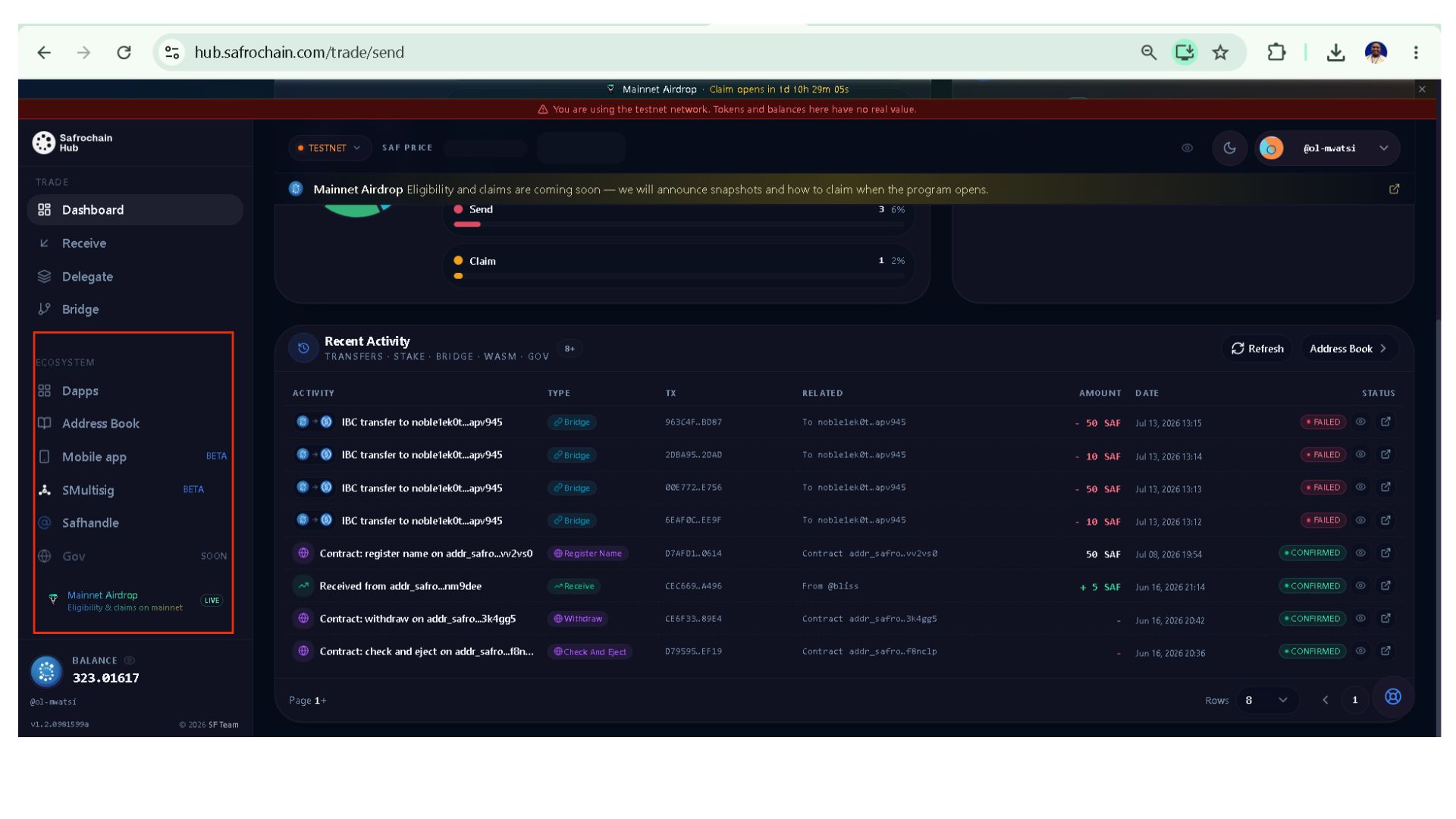
These include:
- dApps: Explore applications and developer resources available within Safrochain
- Address Book : Easily select a saved contact when sending SAF or access your address book directly from the Trade Dashboard.
- Mobile Hub : Access the mobile version of Safrochain Hub:
- SMultisig : Create and manage multisignature wallets:
- SafHandle : Replace long wallet addresses with easy-to-share blockchain names:
- Governance : Participate in Safrochain’s on-chain governance (Coming Soon).
- Mainnet Airdrop – Check eligibility and claim airdropped tokens when available
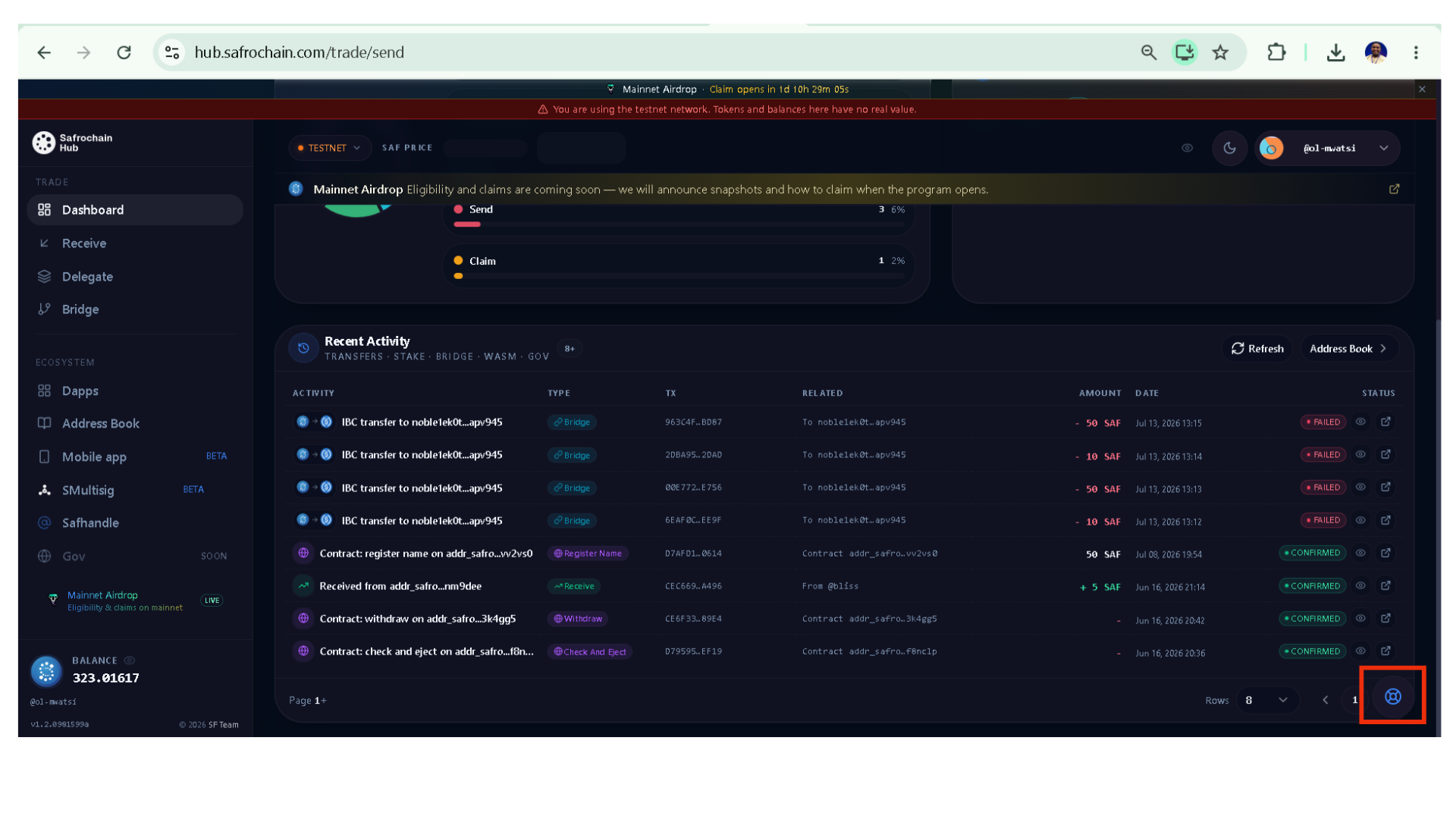
Report an Issue
If you encounter a bug, unexpected behavior, or have suggestions for improvement, use the Report an Issue botton to submit feedback to the Safrochain team. User feedback plays an important role in improving the Safrochain Hub and ensuring a better experience for the entire community.
Conclusion
Safrochain Hub is designed to provide a seamless gateway to the Safrochain ecosystem. As the ecosystem continues to grow, new features and improvements may be introduced to further enhance the user experience.
To get the most out of Safrochain Hub, we encourage you to explore its features regularly and stay up to date with the latest releases and documentation. Keeping pace with new developments will help you make the best use of the tools and services available across the Safrochain ecosystem.